

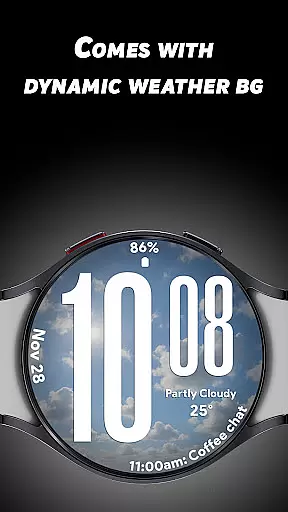
Ultra Weather is a dynamic Wear OS watch face that combines bold design with real-time weather updates. Its oversized digital time display ensures maximum readability, while the adaptive weather backgrounds change automatically based on current conditions like sunny, cloudy, or rainy skies. This app is perfect for users who want both style and functionality on their smartwatch.
With support for customizable complications, Ultra Weather allows users to personalize their watch face by adding details such as weather information, step counts, battery status, and more. The Always-On Display (AOD) feature is optimized for battery efficiency, ensuring all-day usability without compromising performance.
This app is ideal for fitness enthusiasts, travelers, and anyone seeking a visually engaging yet highly practical smartwatch experience. By blending aesthetics with utility, Ultra Weather transforms your Wear OS device into a stylish tool that keeps you connected to both time and weather.
Ultra Weather stands out with its unique combination of bold design elements and advanced functionality tailored for Wear OS users. One of its key features is the Big Bold Digital Time display, which offers instant readability even at a quick glance. This makes it especially useful in situations where checking the time needs to be fast and effortless.
The Dynamic Weather Backgrounds are another highlight, providing live visuals that adapt to real-time weather data. Whether it’s raining, snowing, or sunny outside, your watch face will reflect the current atmospheric conditions. Additionally, users can choose between 12-hour and 24-hour time formats, catering to personal preferences while maintaining global accessibility.
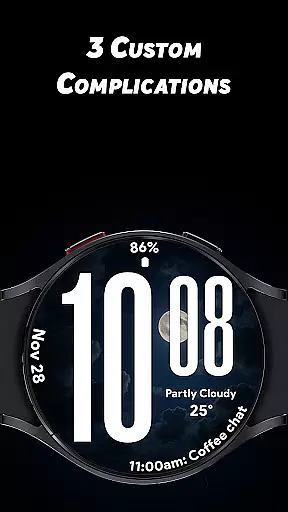
Customization is further enhanced through three configurable complications, allowing users to display additional metrics such as heart rate, calendar events, or battery levels. With an optimized Battery-Friendly Always-On Display (AOD), Ultra Weather ensures that these rich features don’t come at the cost of battery life, making it a reliable choice for everyday use.
Ultra Weather - Watch face offers a comprehensive approach to lifestyle management by integrating essential daily information into an intuitive interface. The watch face not only displays time but also incorporates real-time weather updates, ensuring users are always informed about current conditions.
The dynamic weather backgrounds change automatically based on live weather data, providing visual cues that match the user's environment. This feature enhances situational awareness and allows for better planning of outdoor activities or attire choices throughout the day.
In addition to weather, Ultra Weather supports customizable complications which can include fitness metrics like steps taken, heart rate monitoring, and even calendar events. These elements contribute to a holistic view of the user's lifestyle, promoting both productivity and wellness.
With its bold design and practical features, this application caters to various aspects of modern living, making it a versatile tool for anyone looking to streamline their daily routines while staying connected with their personal health and environmental context.
The Ultra Weather - Watch face stands out in terms of content authenticity by providing real-time weather visuals that are both accurate and relevant. By leveraging reliable weather data sources, the application ensures that users receive up-to-date information that reflects the true atmospheric conditions.
This commitment to accuracy extends to other features such as battery-friendly Always-On Display (AOD) technology, which is designed by experts who understand the balance between functionality and power consumption. Users can trust that the AOD will not unduly drain their device's battery while still offering essential information at a glance.
Furthermore, the inclusion of three customizable complications allows for expert-level personalization without compromising the integrity of the core timekeeping function. Each complication is carefully integrated to ensure it complements rather than clutters the main display.
Overall, Ultra Weather - Watch face demonstrates a high level of expertise in crafting a visually appealing yet highly functional wearable experience, reinforcing its credibility as a dependable lifestyle companion.
Real-time weather sync
Bold typography design
Customizable complications
Optimized AOD feature
Versatile time format
Limited style options
Weather data dependency
Fewer animations
Premium features locked
Battery usage concerns
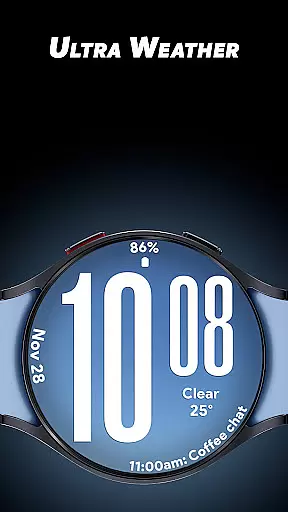
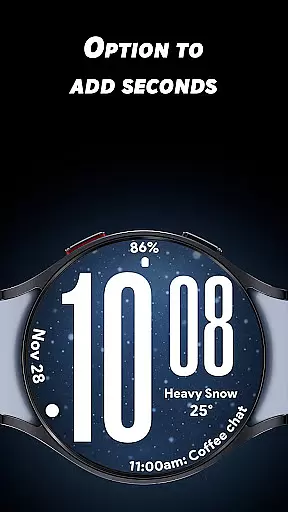
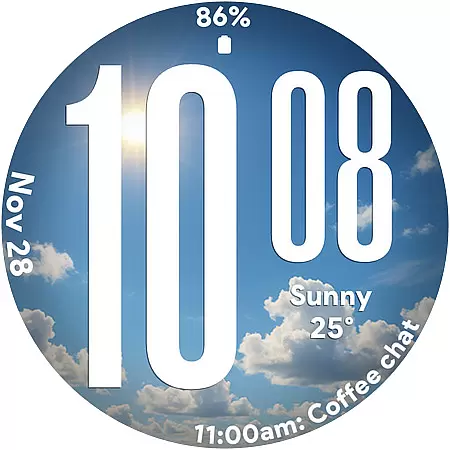
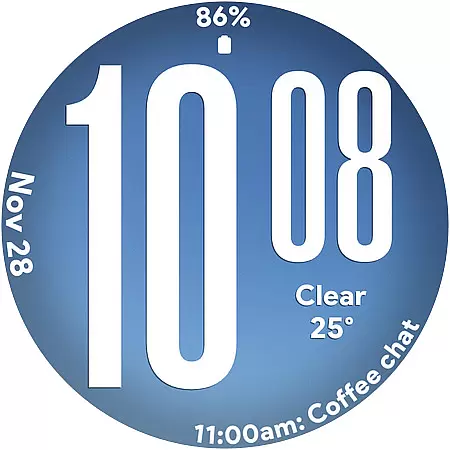
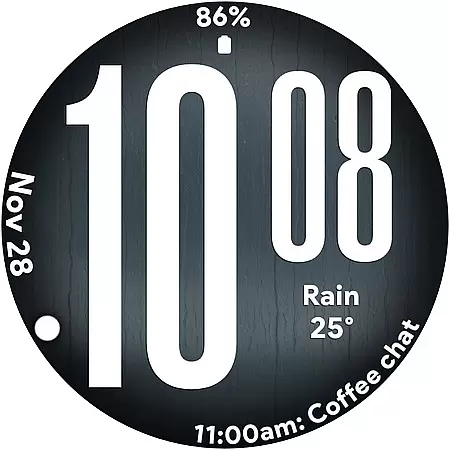
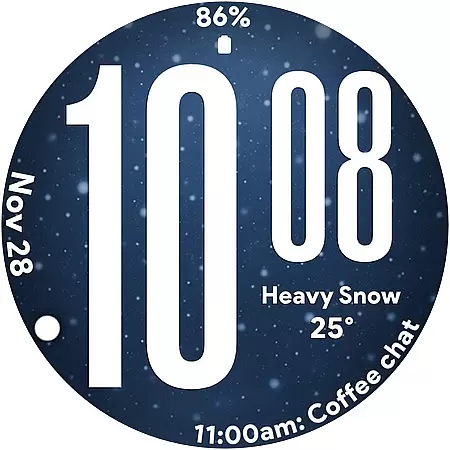
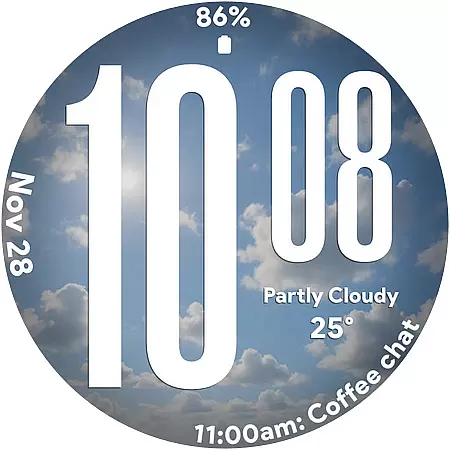

Unique BIG BOLD TIME with amazing colors and customisations.
 3.70
3.70
Fly your Solo like a boss.
4.10
Pay your rent, submit work orders and much more with the RentCafe Resident App.
4.70
Take Hobby Lobby with you wherever you go!
3.40
Tap to the beat with interactive videos — warm up your reflexes & have fun
4.70
This is a simple and highly functional alarm clock "Smart Alarm" paid version.
4.20
Discounts, savings, and rewards
4.20
Digital smart watch face made for Wear OS.
4.70
Vehicle ownership simplified. Get the myChevrolet® app today.
4.60
Daily lessons from A Course in Miracles with scheduled reminders
4.80
This app is intended to support professional EMDR therapy.
4.50
Discover your Nationality, Family Origin, and Ancestry from one selfie
4.50
The Work of Byron Katie— the mobile app for inner peace.
4.40
Use your device sensors to detect energy and convert it into spoken words.
4.10
Subwoofer school’s in session! You’ve now enrolled into KICKER U.
3.80
BILT interactive 3D instructions help you get the job done right
3.50
View over 160,000 line dance stepsheets from the CopperKnob website.
3.30
Smart home security protection
3.20
Cute animated Thanksgiving watchface for your WearOS smartwatch
4.2

User Reviews