

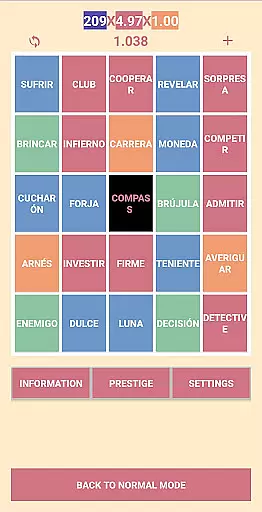
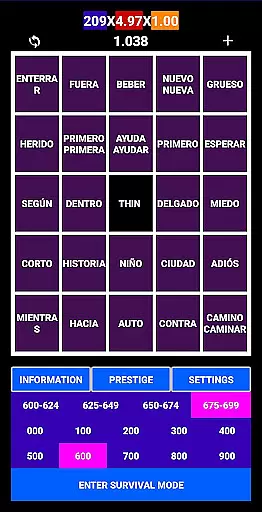
Spanishfier is an educational app designed to help users learn the 1000 most popular Spanish words through an engaging language game. The app incorporates a point and prestige system, making learning both fun and rewarding. Users can also contribute their own words to expand the learning database.
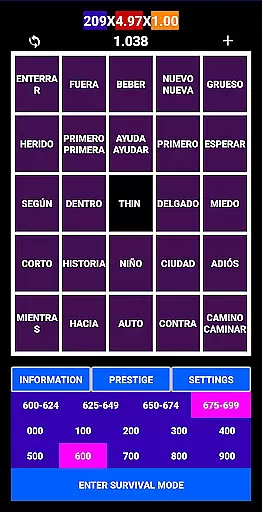
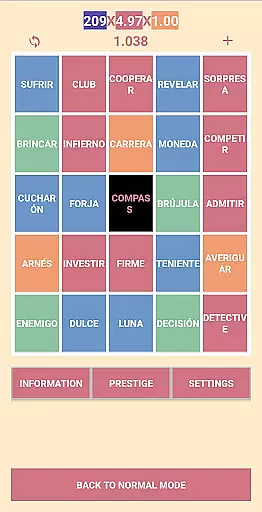
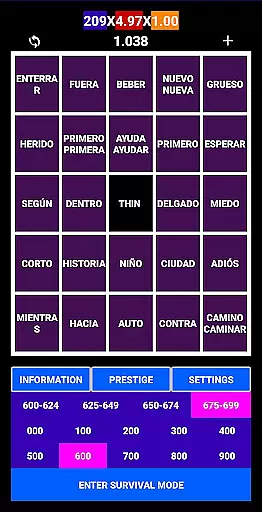
The app features Spanish pronunciation for every word, ensuring accurate learning without mispronunciations. With two UI color themes, fast mode for intermediate learners, and survival mode to avoid repeating learned words, Spanishfier offers a comprehensive and customizable learning experience suitable for various learning styles.
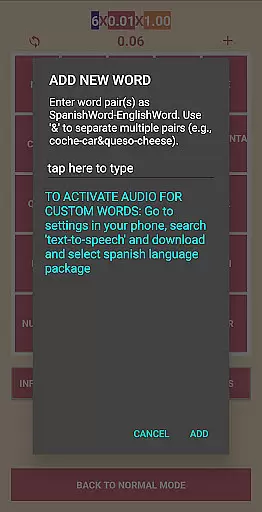
Spanishfier stands out with its unique combination of gamification and practical language learning tools. The app includes a robust point and prestige system that motivates users to progress through the vocabulary lists. Additionally, users have the ability to add custom words, enhancing personal relevance and engagement.
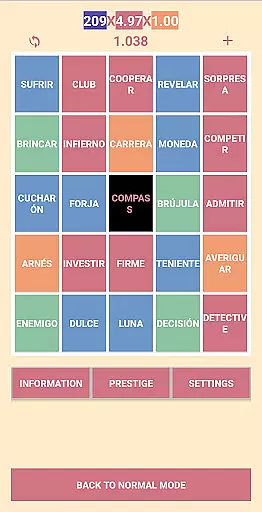
One of the key features is the built-in Spanish pronunciation guide for each word, which helps users improve their speaking skills. The app also offers two distinct UI color themes to suit user preferences, a fast mode for those who already possess some knowledge of Spanish, and a survival mode that ensures users do not encounter repeated words, thus optimizing the learning process.
When learning a new language, the authenticity and accuracy of the content are crucial for effective education. Spanishfier ensures that its content is both authoritative and aligned with practical language learning needs.
The app focuses on teaching the 1000 most popular Spanish words, which form the foundation of everyday communication. Each word comes with its correct Spanish pronunciation, ensuring learners do not misspeak and can confidently use these words in real-life conversations.
Additionally, the inclusion of features like Fast Mode and Survival Mode demonstrates a thoughtful approach to curriculum design. These modes cater to different learning stages, allowing users to progress naturally and reinforcing previously learned material without repetition.
Gamification has become an essential element in modern educational tools, making the learning process engaging and addictive. Spanishfier excels in integrating gamification elements seamlessly into its language learning framework.
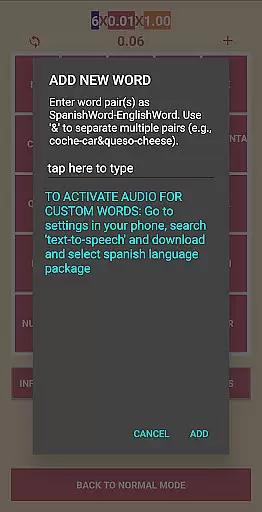
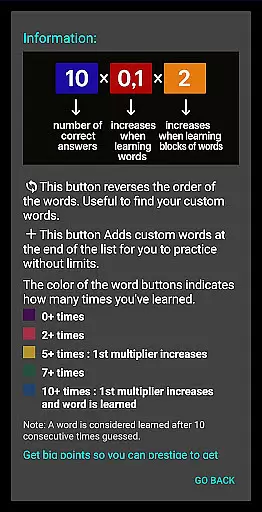
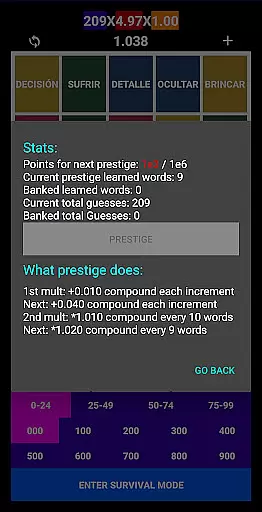
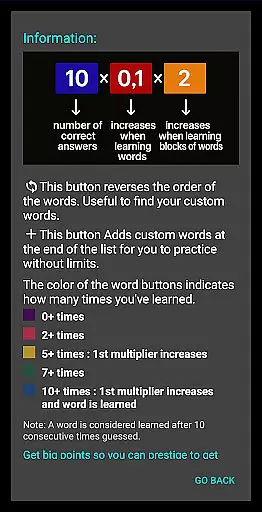
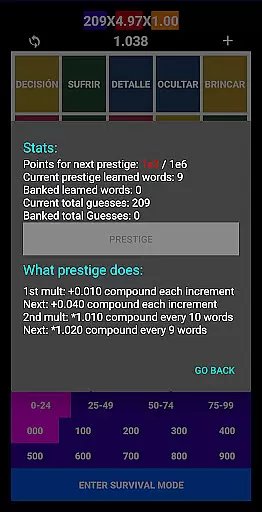
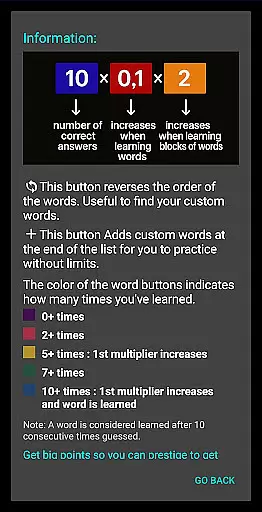
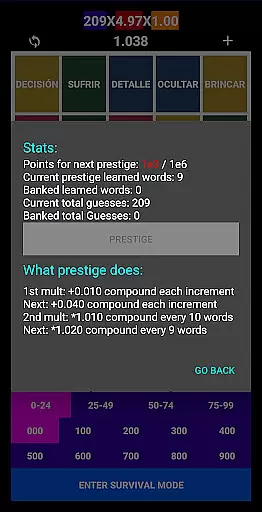
Users can earn points and gain prestige as they learn new words, providing a sense of achievement and encouraging continued engagement. This reward system motivates learners to consistently improve their vocabulary and track their progress over time.
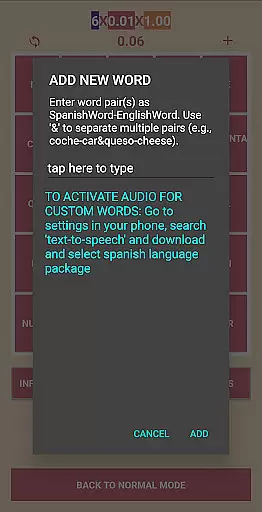
Moreover, the ability to add personal words enhances the customization aspect of gamified learning. By incorporating user-generated content, Spanishfier offers a personalized learning experience that adapts to individual preferences and goals, making language acquisition both enjoyable and effective.
User-friendly interface
Engaging gamification
Customizable word lists
Accurate pronunciation guides
Versatile learning modes
Limited to top 1000 words
No advanced grammar lessons
Requires self-motivation
Premium features may cost extra
Occasional bugs in fast mode

This will quickly become your kids' favorite animals game!
 4.40
4.40
Learn and practice multiplication and division
4.1
Spark your little ones’ imagination!
3.80
A logic puzzle game for 1 - 3 players
4.0
Fun educational jigsaw puzzles for kids and preschoolers.
4.50
Master your phonics letters and sounds with the Alphablocks!
3.80
CASHFLOW - The Investing Game
4.00
Fun baby games for kids. Play baby piano, musical instruments & nursery rhymes.
4.50
Safe, fun, ad-free games for kids! For babies, toddlers, & kids age 2-6
3.60
Puzzles, Cats and Programming
4.80
Epic battles, interactive quests and exotic pets. Learn math with Prodigy today!
4.70
Explore Dopples World, build your avatar life & create endless stories!
4.70
Amazing learning and educational games for children of all ages.
4.70
Kids coloring games for boys! Fun drawing, painting & learning book for kids.
4.60
A must-have sequel to our Learn Letter Sounds with Carnival Kids app
4.30
Pretend play in Pepi City: become a doctor or a patient. Our city, your stories!
4.30
Math Games For Kids To Learn Addition, Subtraction, Multiplication and Division.
4.30
Play pretend & explore at the doctor's & school in Daniel Tiger's Neighborhood.
3.30
Little Explorer – Garage, Kitchen and Bathroom
4.0

User Reviews