

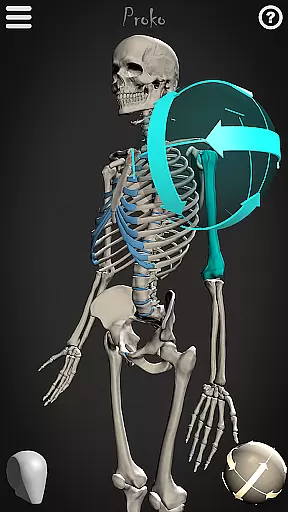
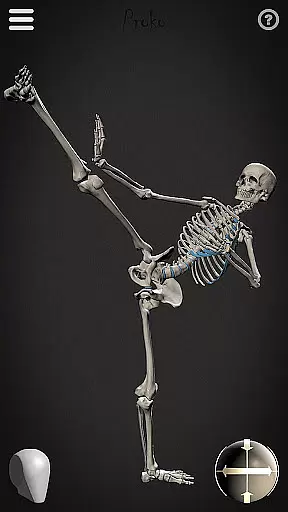
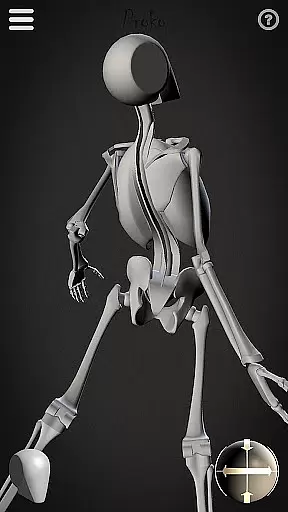
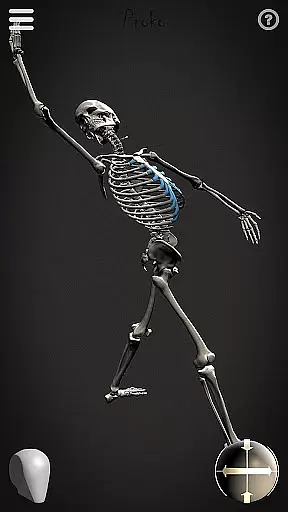
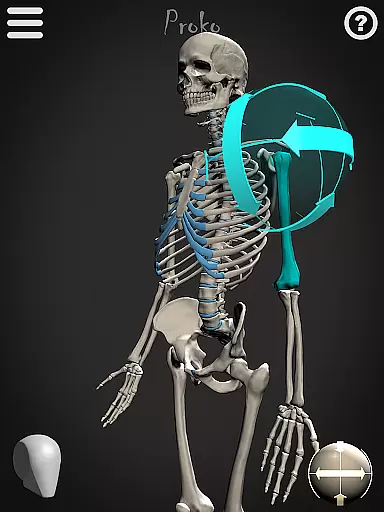
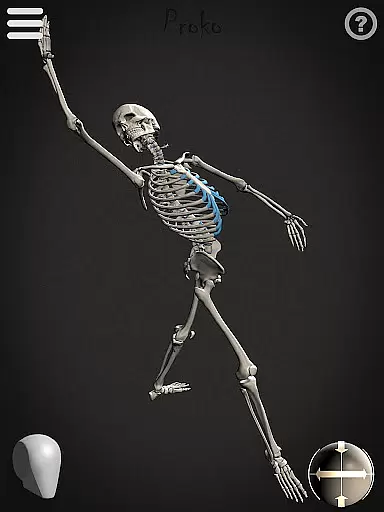
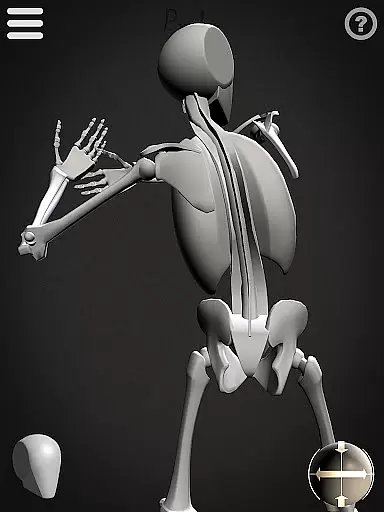
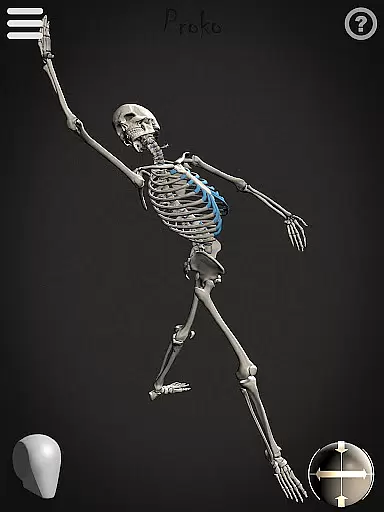
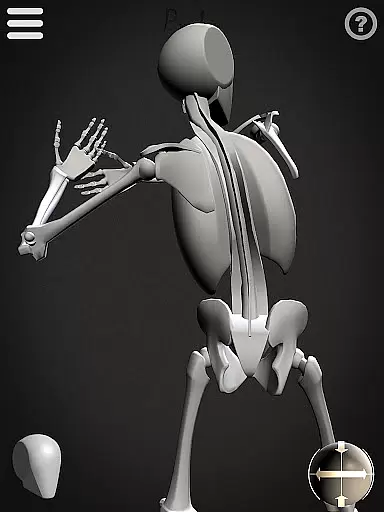
Skelly is an innovative educational app designed specifically for artists and art students who want to master human anatomy. This fully poseable, anatomically correct reference skeleton allows users to create realistic poses anytime, anywhere. The app includes two main features: a detailed anatomical skeleton and a simplified 'Robo-Skelly' model, both based on professional anatomical proportions.
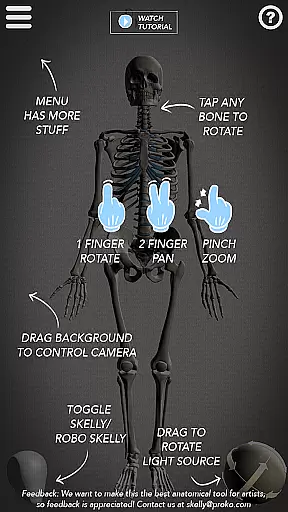
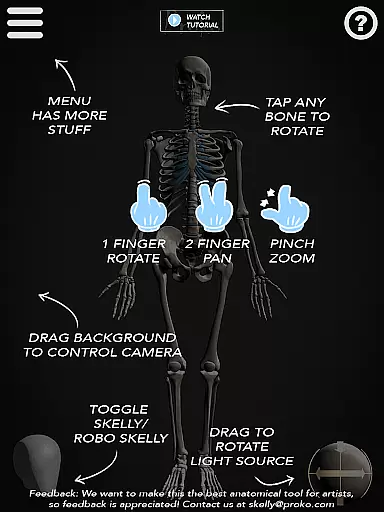
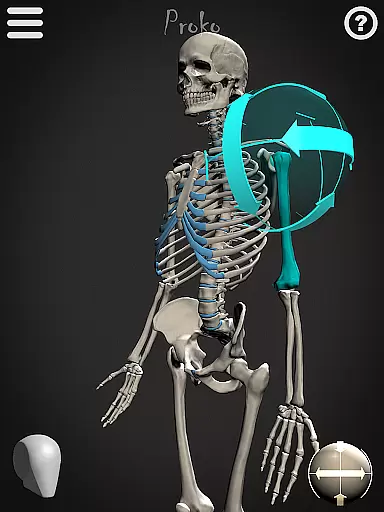
The app's unique selling point is its comprehensive posing system that lets users manipulate every joint and bone, just like working with a real skeleton model. With its adjustable camera angles, customizable lighting, and pose library functionality, Skelly becomes an essential tool for artists working in various mediums including drawing, painting, sculpting, and animation.
Whether you're a beginner learning figure drawing or a professional artist needing quick reference material, Skelly provides the perfect solution without breaking the bank or raising eyebrows from your internet service provider.
Skelly stands out among educational apps with its sophisticated 3D modeling capabilities. The app's core feature is its anatomically precise skeleton model, developed according to Dr. Paul Richer's established anatomical proportions. Users can manipulate every joint and bone through an intuitive interface, creating limitless pose variations for their artistic projects.
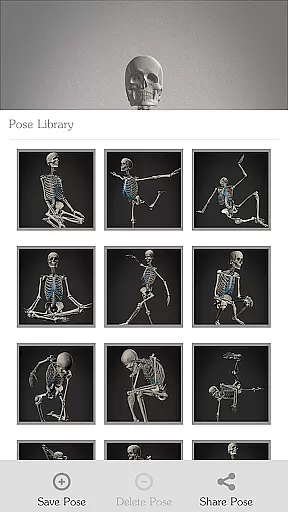
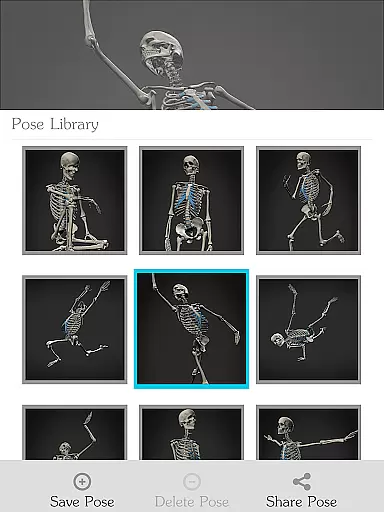
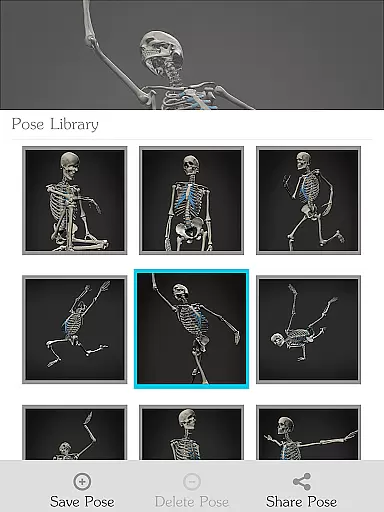
Beyond basic posing, Skelly offers advanced tools including a movable virtual camera, adjustable light sources, and background options. The built-in Pose Library allows artists to save frequently used positions while also providing ready-made poses for quick access. The inclusion of both detailed and simplified skeleton models ('Robo-Skelly') caters to different learning styles and project requirements.
What makes Skelly particularly valuable is how it streamlines the artistic process - eliminating the need for physical models or live subjects while providing more flexibility than static reference images. The app's ability to instantly reset to neutral 'Anatomical Pose' ensures easy experimentation without losing original settings.
In the realm of art education, having access to accurate and authoritative content is crucial for learning. Skelly offers an anatomically correct skeleton model that serves as a reliable reference for artists. This digital skeleton is based on the teachings of Dr. Paul Richer, ensuring that users are learning from a well-respected source in anatomy.
Furthermore, the inclusion of 'Robo-Skelly', a simplified version of the skeleton, provides an additional layer of educational value. It allows users to study anatomy in a more approachable manner without compromising on factual correctness. The app's attention to detail extends to the skull, which fits perfectly into a 'Loomis Head' as taught by Andrew Loomis, another trusted name in art instruction.
Artists using Skelly can be confident in the authenticity of their learning material. With features like pose-ability and adjustable lighting, users can explore different angles and lighting conditions to understand how they affect anatomical drawings. This level of precision and reliability empowers artists to focus on their craft with peace of mind, knowing that their foundational knowledge is both accurate and credible.
Skelly stands out by offering personalized learning paths tailored to individual artistic development. The app includes a Pose Library where users can select from pre-made poses or save their own, allowing them to build a custom repository of references that cater to their specific interests and skill level. This personalization encourages artists to progress at their own pace and according to their unique journey.
The ability to manipulate the camera and light source adds another dimension to personalized learning. Artists can experiment with different perspectives and lighting setups, mimicking real-life drawing scenarios and thus creating a more customized and practical learning experience. By adjusting these elements, learners can simulate various environments they might encounter in their artistic pursuits.
Moreover, Skelly's adaptability extends to its background options, enabling users to choose between light or dark settings. This feature not only personalizes the interface but also prepares artists for working under diverse conditions. With Skelly, each user's path to mastering human anatomy is enriched by tools designed to offer a bespoke educational journey, fostering both technical skill and creative expression.
User-friendly interface
Accurate anatomy reference
Unlimited posing options
Cost-effective solution
Comprehensive feature set
Steep learning curve
Device compatibility issues
Limited free resources
Occasional performance lags
No advanced muscular system


An aviator’s preparation, study and test tool for FAA Knowledge Exams.
 3.90
3.90
Nighty Night Circus - Bedtime story for kids
4.10
Pickleball guide complete with illustrated Pickleball drills and helpful info
4.2
A must-have app for mastering Japanese verb/adjective conjugations.
3.60
Explore numbers the Starfall way!
4.00
Stack the Countries makes learning world geography fun!
4.50
Discover Your Place in the Universe
4.70
An aviator’s preparation, study and test tool for FAA Knowledge Exams.
4.10
Professional Award-Winning Astronomy Star Map App With Telescope Control
4.40
Experience the sky, planet earth and the solar system like never before
4.90
Learn Japanese in an immersive educational game set in Japan!
4.90
Dinosaurs coloring book game. Drawing and painting dinos.
4.50
Welcome to the Speak Navajo Language Application - Volume 1
4.50
The Fighter Verses Bible memory system helps you memorize God's Word.
4.50
Explore the City of the Sun in Augmented Reality
3.70
Bebefinn and Baby Shark educational, animated videos & games for kids
3.40
THE MOST COMPREHENSIVE JUMPMASTER STUDY RESOURCE AVAILABLE.
3.40
Your best partner for learning Japanese words. Based on a best-selling textbook.
2.80
Enrich the experience of your visit to the Pantheon with our audiotour.
1.60
User Reviews