

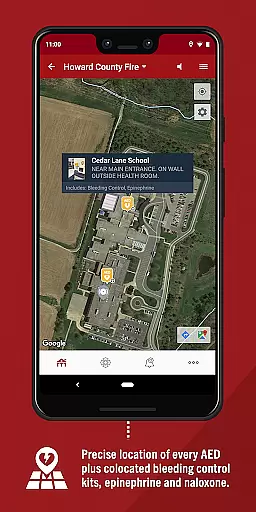
PulsePoint Respond is a revolutionary 911-connected mobile application designed to engage and inform citizens during critical emergencies. The app's core functionality lies in its ability to instantly alert users about nearby cardiac arrest incidents where their immediate CPR assistance might be needed. This real-time emergency response system creates a 'Culture of Action' within communities, significantly strengthening the Chain of Survival for cardiac arrest victims.
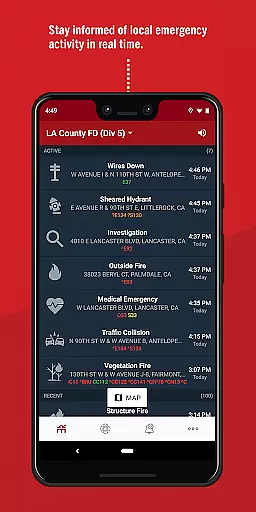
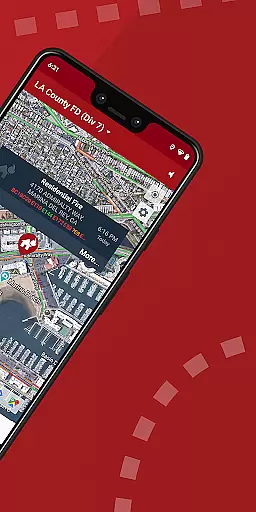
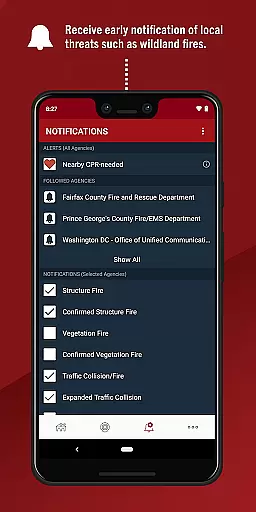
Beyond life-saving notifications, PulsePoint offers valuable features that enhance community safety awareness. Users can receive early warnings about significant local threats including wildland fires, flooding, and utility emergencies. The app also provides access to live dispatch radio traffic for most connected communities, giving users unprecedented insight into local emergency situations. With coverage spanning thousands of cities, PulsePoint has become an essential tool for community safety and emergency preparedness.
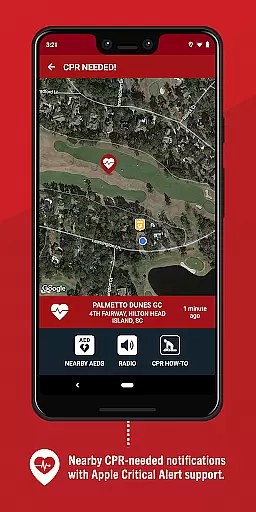
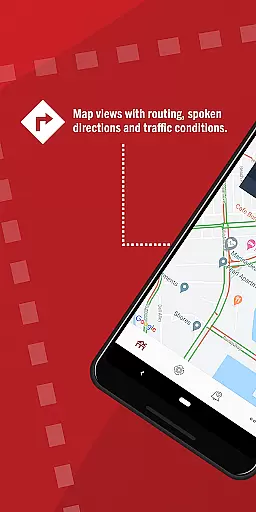
The app's feature set extends far beyond basic emergency alerts. Its sophisticated notification system allows users to customize their alert preferences, choosing between different types of emergencies they wish to be informed about. The CPR-needed notifications are particularly innovative, providing precise location information and even guiding users to the exact scene through integrated mapping capabilities.
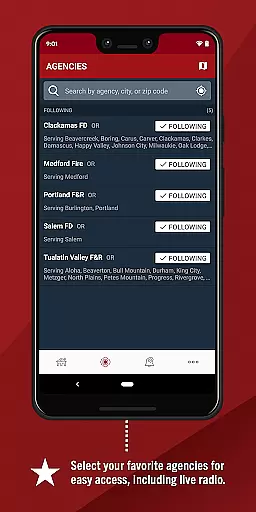
PulsePoint incorporates several advanced features that enhance user experience and effectiveness. The live dispatch radio feature lets users monitor real-time emergency communications with just a tap on the speaker icon. Additionally, the app's comprehensive coverage spans thousands of communities across the United States, with continuous expansion efforts underway. These features collectively create a robust platform for community engagement and emergency preparedness, making PulsePoint an invaluable tool for public safety.
When it comes to medical emergencies, the credibility of information is crucial. PulsePoint Respond ensures that all its notifications and alerts are connected directly to 911 services, providing real-time and credible data straight from emergency operators. This direct link guarantees that users receive accurate and verified information regarding emergencies in their vicinity.
The app's development team works closely with medical professionals and public safety agencies to ensure that every notification sent out meets high standards of accuracy and reliability. By collaborating with experts in the field, PulsePoint Respond can offer users peace of mind knowing that the information they receive has been thoroughly vetted by specialists who understand the importance of timely and correct data during critical moments.
For users, this means they can trust the app to provide them with reliable alerts when CPR is needed nearby or when significant events might affect their community. The assurance of expert-reviewed content empowers individuals to take immediate action without second-guessing the validity of the information provided, ultimately saving precious time during life-threatening situations.
PulsePoint Respond not only focuses on delivering credible information but also emphasizes teleconsultation quality through its innovative features. One standout feature is the ability for users to monitor live dispatch radio traffic within most PulsePoint-connected communities simply by tapping on the speaker icon. This functionality allows users to stay informed about ongoing incidents and emergency responses as if they were part of the first responder network.
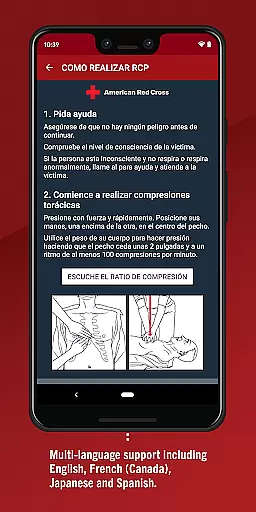
In addition to live updates, the app provides detailed notifications that include essential instructions and guidelines for performing CPR. These step-by-step directives mimic a virtual consultation, guiding untrained bystanders through the process effectively until professional help arrives. Such guidance enhances user confidence and competence in handling cardiac arrest scenarios outside traditional healthcare settings.
By integrating these advanced teleconsultation capabilities, PulsePoint Respond bridges the gap between emergency services and civilian responders. Users benefit from having access to clear, concise, and actionable advice at their fingertips, which significantly improves response times and outcomes for victims of sudden cardiac arrest. This blend of technology and expertise makes PulsePoint Respond an invaluable tool in strengthening community resilience and preparedness.
User-friendly interface
Real-time emergency alerts
Community engagement platform
Customizable notification options
Live dispatch monitoring
Limited community coverage
Requires constant connectivity
Potential false alarms
Dependent on local agency adoption
May cause unnecessary stress

Secure video visits with your VA care team from anywhere
 4.50
4.50
Pelvic Floor Muscle Exercises
4.80
Control your hearing aids discreetly with the touch of a finger
4.30
PPP provides quick offline access to over 350 field treatment protocols.
4.60
ASCCP Management Guidelines- There’s an app for that!
4.60
Your pocket guide to following The Monash University Low FODMAP diet.
4.20
Get your lab results on your smartphone with MyQuest.
4.40
Tap & save. Coupons that fit in your pocket. Find low prices on prescriptions.
4.80
Online Doctors & Condition Management
4.40
CPR Timer for High Performance AHA BLS / ACLS
5.00
Be more confident prescribing homeopathy at home for your family.
4.80
Pelvic Floor Muscle Exercises
4.80
Manage your healthcare through the FollowMyHealth® Universal Health Record.
4.80
The MDLIVE app makes connecting with a doctor fast, easy, and convenient.
4.60
Identify pills, search different drugs, get drug information and much more!
4.50
Assess and treat left neglect more effectively in stroke and brain injury rehab.
4.30
Good for You. Great for Life.
4.00
MySafeRide simplifies booking and managing rides for health plan members.
3.50
HealtheLife lets you easily manage your health online.
3.20


User Reviews