

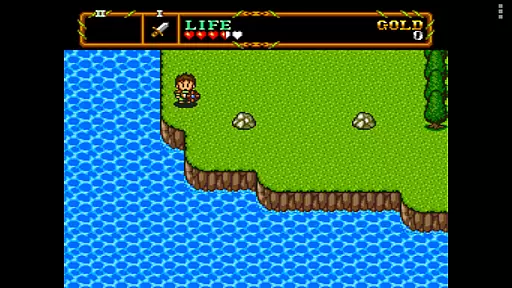
PCE.emu is an advanced open-source emulator for PC Engine and TurboGrafx-16 gaming consoles. It offers a minimalist user interface with a strong emphasis on reducing audio and video latency, making it suitable for a wide range of devices from older models like the Xperia Play to modern ones such as Nvidia Shield and Pixel phones.
The app supports various file formats including .pce, .sgx, and compressed files through ZIP, RAR, or 7Z. With CD emulation via .cue files and support for multiple audio track formats like FLAC, Ogg Vorbis, and Wav, PCE.emu provides a versatile platform for retro gaming enthusiasts. Configurable on-screen controls and compatibility with Bluetooth/USB gamepads enhance the user experience.
Whether you are revisiting classic games or exploring them for the first time, PCE.emu ensures a seamless and responsive emulation experience across different Android devices.
PCE.emu stands out with its comprehensive feature set tailored for retro gaming aficionados. The emulator supports a wide array of file formats including .pce, .sgx, and even compressed files through ZIP, RAR, or 7Z, ensuring that users can access their game library without compatibility issues.
One of the key highlights is the CD emulation capability via .cue files, which requires a Super CD-ROM System card. This feature, combined with support for high-quality audio tracks in FLAC, Ogg Vorbis, and Wav formats, delivers an authentic gaming experience. The configurable on-screen controls provide flexibility, while Bluetooth/USB gamepad support ensures that any HID device recognized by the OS, such as Xbox and PS4 controllers, can be used seamlessly.
By focusing on low audio/video latency and supporting Android's storage access framework, PCE.emu caters to both performance and convenience, allowing gamers to enjoy their favorite titles on internal or external storage options like SD cards and USB drives.
Arcade authenticity and nostalgia are crucial elements for any emulator aiming to recreate the classic gaming experience. PCE.emu, as an advanced PC Engine/TurboGrafx-16 emulator, excels in delivering this by supporting a wide array of original game formats such as .pce and .sgx, optionally compressed with ZIP, RAR, or 7Z.
The inclusion of CD emulation via loading .cue files further enhances its nostalgic value, allowing users to relive the full spectrum of gaming experiences from the era. This feature requires a Super CD-ROM System card, adding another layer of authenticity to the emulation process.
Moreover, the emulator's support for FLAC, Ogg Vorbis, and Wav audio track formats ensures that the sound quality remains true to the original arcade games. This attention to detail in audio reproduction is vital for capturing the essence of retro gaming.
By focusing on low audio/video latency and providing configurable on-screen controls, PCE.emu not only brings back memories of classic arcade games but also enhances the user experience with modern touch controls and gamepad compatibility. This blend of old and new creates a unique and immersive environment for enthusiasts and casual gamers alike.
Control responsiveness is a critical aspect of any gaming emulator, especially one dedicated to arcade games. PCE.emu addresses this need by ensuring low audio/video latency, which is essential for an authentic and enjoyable gaming experience. The emulator's minimalist UI further aids in reducing unnecessary delays, making every interaction swift and seamless.
Configurable on-screen controls offer users the flexibility to customize their gaming setup according to personal preferences. This level of customization ensures that each player can achieve optimal control settings, enhancing overall responsiveness during gameplay sessions.
In addition to on-screen controls, PCE.emu supports Bluetooth and USB gamepads, including popular models like Xbox and PS4 controllers. This compatibility with any HID device recognized by the OS guarantees that users can enjoy a responsive and tactile gaming experience, closely mimicking the feel of original arcade machines.
By prioritizing both on-screen and physical controller responsiveness, PCE.emu successfully bridges the gap between past and present gaming technologies. Players can expect tight control feedback and minimal input lag, resulting in a satisfyingly immersive experience that honors the legacy of arcade classics.
Wide device compatibility
Low audio/video latency
Supports multiple file formats
Configurable controls
Active development and support
No ROMs included
Requires technical knowledge
Complex setup for beginners
Limited user interface customization
Dependent on third-party storage
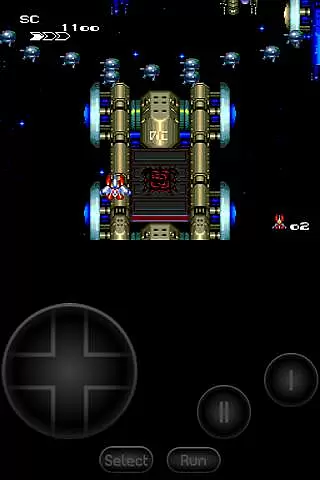
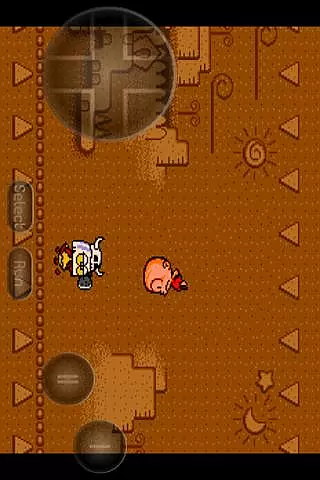
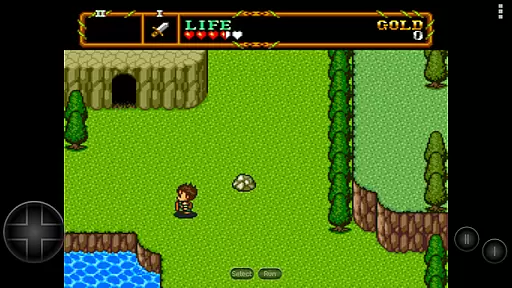

Bomb the communists back to 1916!
 4.70
4.70
A retro-flavoured infinite scroller Glyph toy for the Nothing Phone (3)
4.2
Nostalgia.GBA Pro is a high quality GBA emulator.
4.40
John GBC is GB/GBC emulator. This emulator is easy to use.
3.80
Bounce through platforms. Avoid obstacles. Get the bouncing ball to the finish.
4.00
Master the hills in this extreme downhill racing game!
4.60
Flip and flail a rag doll through endless levels and plunge into outlandish fun!
4.60
The precise emulator of 8 bit handheld... Now even better!
4.50
You control the ball! Dribble, shoot and score against eleven soccer players!
4.60
Absorb, or be absorbed...
4.70
Venture into the galaxy to fight against the invasion of space invaders.
4.60
Jump and fly your way through danger in this rythm-based action platformer!
4.50
Outrun cops, ignite the thrill of a high-speed chase!
4.50
GBA Emulator
4.40
Get into your tractor to cut grass and harvest the crops in our mowing simulator
4.10
John GBA is GBA emulator. This emulator is easy to use.
3.10
Monster Run its a game for relax.
4.4
A fluid, action-packed arcade space shootout!
4.5
Infinite Arcade
4.1

User Reviews