

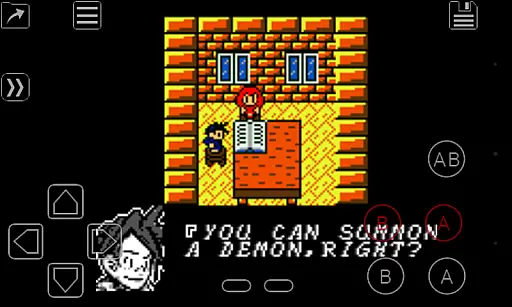
My OldBoy! - GBC Emulator is a top-tier emulator designed to bring your favorite Game Boy and Game Boy Color games to Android devices. With meticulous attention to detail, it accurately emulates nearly every aspect of the original hardware while introducing modern features. The app supports special functionalities like link cable, rumble, and tilt sensor emulation, making it versatile for various gaming experiences. Whether you're using an older phone or a modern tablet, My OldBoy! ensures smooth performance with its ARM assembly code optimization.
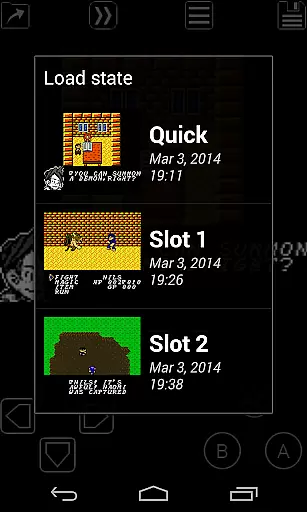
One standout feature is the save state system, allowing users to save progress at any point and return instantly. Fast-forward functionality lets players skip through lengthy sections, while customizable palettes add color to classic monochrome games. This emulator caters to both casual gamers and enthusiasts by offering advanced options such as cheat code support, ROM patching, and multi-lined GameShark/GameGenie codes. Its compatibility with external controllers and Google Drive sync further enhances user convenience, making it a comprehensive solution for retro gaming on Android.
My OldBoy! stands out with its robust feature set tailored for Game Boy enthusiasts. The emulator leverages ARM assembly code to deliver fast emulation, achieving 60 FPS even on low-end devices without frame skips. It boasts excellent game compatibility and supports unique hardware features like link cable emulation over Bluetooth or Wi-Fi, enabling multiplayer experiences across devices. Additionally, the tilt sensor and rumble emulation utilize Android's hardware sensors and vibrator, adding an immersive layer to gameplay.
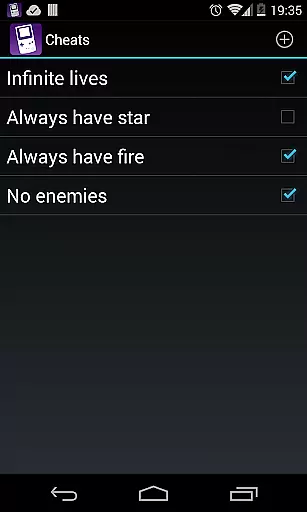
Advanced customization options include Super Game Boy palette emulation, which brings vibrant colors to monochrome games, and GLSL shader support for cool video filters. Users can apply cheat codes on the fly, patch ROMs with IPS/UPS formats, and adjust game speed from 50x fast-forward to slower speeds for precision play. The app also offers a powerful screen layout editor, external controller support, and seamless integration with Google Drive for save syncing. These features collectively ensure a rich, personalized gaming experience that remains faithful to the original hardware while embracing modern technology.
Arcade authenticity is a crucial aspect of any emulator application, ensuring that the gaming experience remains true to the original hardware. My OldBoy! delivers this by accurately emulating almost every aspect of the real Game Boy and Game Boy Color hardware. This includes not only basic game execution but also advanced features like link cable emulation, rumble effects, and tilt sensor support.
The emulator goes beyond simple game play by incorporating special features such as Game Boy Camera and Game Boy Printer emulation. These elements contribute significantly to the nostalgic value for users who remember these accessories from the original consoles. Additionally, the Super Game Boy palettes emulation enhances monochrome games by introducing more colors, making classic games visually appealing to both old fans and new players.
For users, this level of arcade authenticity means they can relive their childhood memories or explore classic games as they were originally intended. The precise emulation ensures that gameplay mechanics, speed, and graphics are just as they would have been on the original devices, providing an immersive and genuine arcade experience.
Control responsiveness is vital in gaming, especially when emulating classic arcade games where timing and precision are key. My OldBoy! addresses this with its super-fast emulation powered by ARM assembly code. This allows the app to achieve up to 60 FPS without frame skips, even on very low-end Android devices, ensuring that user inputs are registered instantly and accurately.
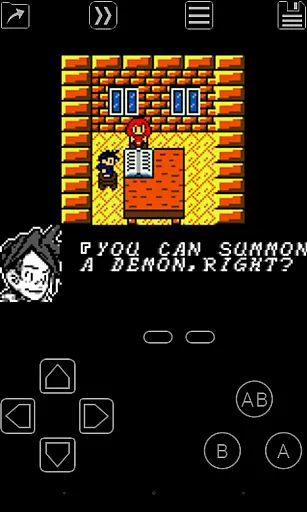
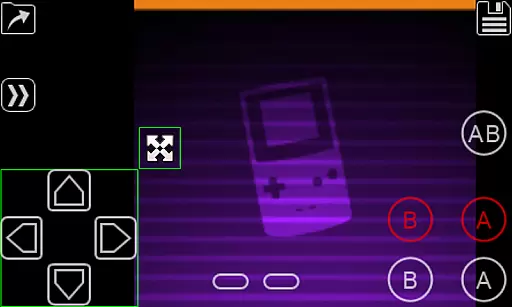
The emulator offers multiple control options including an on-screen keypad, external controller support, and shortcut buttons for functions like load/save. A powerful screen layout editor lets users customize the position and size of on-screen controls, optimizing them for comfortable and efficient gameplay. This customization capability ensures that each user can tailor the control setup to their personal preferences and device specifications.
By providing such responsive and customizable controls, My OldBoy! enhances the overall gaming experience. Players can enjoy seamless interaction with their games, whether they're casually playing or engaging in competitive sessions. The instant feedback and adaptable interface make it easy for anyone to pick up and play, maintaining the integrity of the original gaming experience while adapting to modern touch-based devices.
High compatibility
Fast emulation
Battery efficient
Customizable controls
Google Drive sync
No included games
Complex setup
Ads in free version
Requires technical knowledge
Limited customer support

Play retro games with ease – NES, SNES, PSX, PSP & more supported
 4.3
4.3
Playing venom RPG alien games? Set spider alien isolation base, with no survivor
4.30
A Ball Bouncer With Depth
4.00
PC Engine/TurboGrafx-16 Emulator
4.50
Reach high, and shine in the neon world in 3D!
4.0
Flip and flail a rag doll through endless levels and plunge into outlandish fun!
4.60
John GBA is GBA emulator. This emulator is easy to use.
3.10
Join the breathtaking chase!
4.80
Original Space Adventure Experience
4.60
Amid the vastness of the universe, you are a Black Hole about to be swallowed!
5.00
Punch your way through the Streets of Rage once again!
4.80
Master the skies in this epic airplane shooting game! Join the air force now!
4.80
Merge bowmasters to win the bow and arrow war! Play the fun archery game!
4.60
Premium version. Save the galaxy from alien shooter in this classic game
4.50
Suck the other’s blood and be the longest surviving mosquito!
4.40
NES Emulator
4.40
The only Sega Saturn emulator for Android
4.40
Slice up a juicy storm!
4.20
Epic offline war strategy game - build your city, train your army, conquer
4.20

User Reviews