

My Boy! is a high-performance GameBoy Advance emulator designed for Android devices, enabling users to play classic GBA games on modern smartphones and tablets. The app offers near-perfect emulation of the original hardware, including advanced features like multiplayer link cable support and sensor emulation.
With its robust compatibility, My Boy! runs almost all GBA titles flawlessly while providing additional enhancements such as cheat code functionality, customizable controls, and cloud save synchronization via Google Drive. Whether you're reliving nostalgic gaming experiences or discovering these classics for the first time, this emulator delivers an authentic and feature-rich experience.
My Boy! stands out with its impressive technical capabilities, starting with super-fast emulation powered by a JIT recompiler that ensures smooth performance even on lower-end devices. It supports advanced functionalities like cross-device multiplayer over Bluetooth or Wi-Fi, making it ideal for cooperative gameplay.
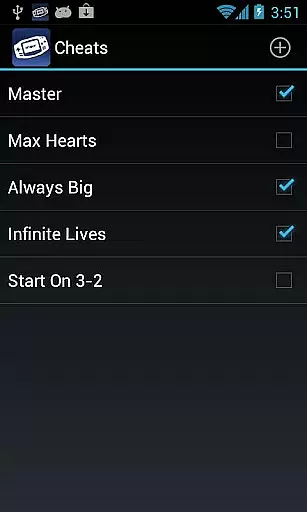
The app also integrates Android's hardware features, emulating tilt sensors, gyroscopes, and rumble effects to enhance immersion. Additional tools include real-time cheat code support, video filters via GLSL shaders, and adjustable speed controls for fast-forwarding or slowing down gameplay. With customizable screen layouts, key-mapping profiles, and desktop shortcuts, My Boy! provides unparalleled flexibility for gamers.
Arcade authenticity and nostalgia are crucial elements for any emulator aiming to recreate the classic gaming experience on modern devices. My Boy! - GBA Emulator excels in this area by offering a super fast emulation environment that captures the essence of GameBoy Advance gaming.
The emulator supports nearly all aspects of the original hardware, ensuring high compatibility with a vast library of games. This meticulous attention to detail allows users to relive their favorite childhood titles without the need for a physical GameBoy Advance console.
One standout feature is the high-level BIOS emulation, which eliminates the necessity for a BIOS file, streamlining the setup process while maintaining the authentic feel of GameBoy Advance gameplay. Additionally, support for cheat codes and ROM patching adds layers of customization and flexibility, enhancing the nostalgic experience.
By providing these authentic features, My Boy! ensures that users can enjoy an immersive arcade experience that stays true to the original, while leveraging the advanced capabilities of contemporary Android devices.
Control responsiveness is a vital aspect of any gaming emulator, as it directly impacts the user's ability to interact seamlessly with the game. My Boy! - GBA Emulator addresses this need by offering highly responsive controls tailored for Android devices.
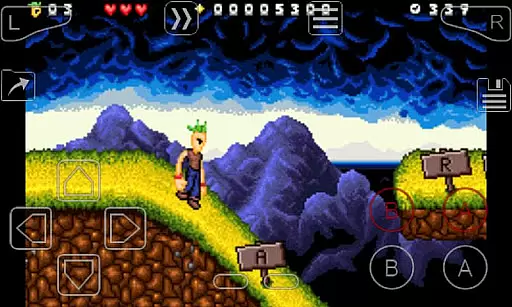
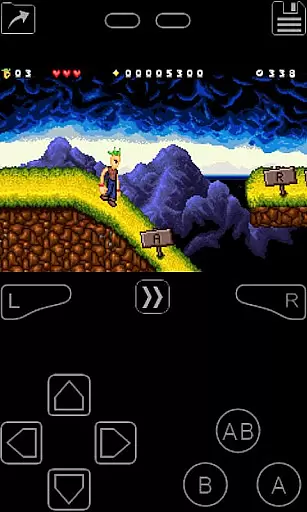
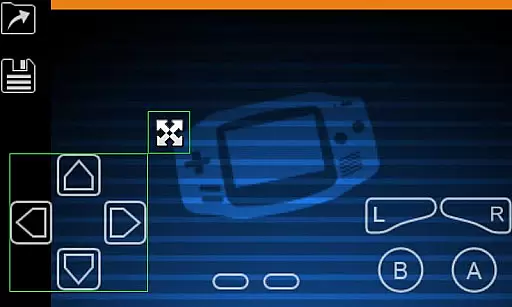
The emulator includes an on-screen keypad that supports multi-touch functionality, enabling complex inputs required by many GameBoy Advance titles. Users can customize the layout and size of these controls through a screen layout editor, ensuring optimal comfort and accessibility.
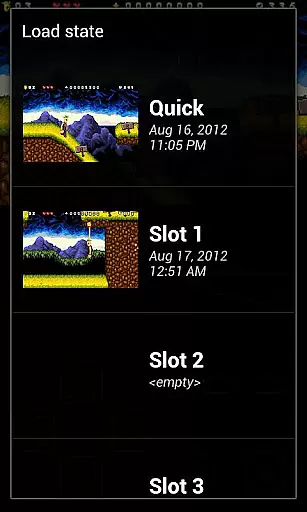
In addition to customizable key-mapping profiles, shortcut buttons such as load/save provide quick access to essential functions during gameplay. These thoughtful design choices enhance the overall control experience, making it intuitive and efficient.
With its focus on responsive and adaptable controls, My Boy! delivers a superior gaming experience that meets the demands of both casual players and hardcore enthusiasts alike.
High game compatibility
Fast emulation speed
Customizable controls
Cloud save support
Multiplayer functionality
No BIOS file included
Requires legal ROMs
Paid version only
Complex setup
Limited customer support

Gameboy Color Emulator
 4.60
4.60
BallStack is a vibrant match-3 game where you stack and match colorful balls!
4.1
Relax and catch fish for your aquarium while earning rewards in these tank games
4.40
Venture into the galaxy to fight against the invasion of space invaders.
4.60
Premium version. Save the galaxy from alien shooter in this classic game
4.50
Millions of crafters have smashed billions of blocks! Now you can join the fun!
4.40
Addictive basketball game with challenging one-touch controls
4.50
Thoughtful strategy and tactical thinking are required to win each battle!
4.30
Crazy games: Kick your buddies, beat the boss, and turn the office into chaos!
4.40
Local offline 2 3 4 player multiplayer minigames - race, tanks, football
4.60
Master the hills in this extreme downhill racing game!
4.60
Save the Galaxy from galaxiga alien - Classic arcade shooter game
4.60
Eat & evolve your shark in the ultimate shark survival game!
4.50
Nostalgia.GBA Pro is a high quality GBA emulator.
4.40
Enter Double Dragon Trilogy, a compilation of the beloved arcade series
4.10
Frenetic party game, pass the bomb to the other players!
3.80
Restore peace and order in the city
3.20
Monster Run its a game for relax.
4.5
Infinite Arcade
4.0
User Reviews