

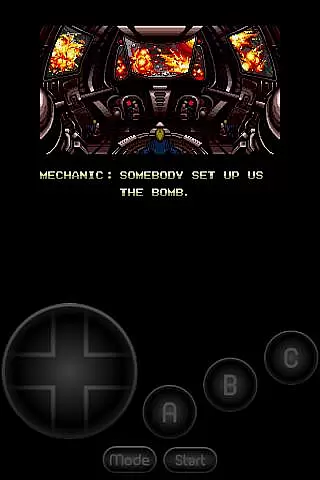
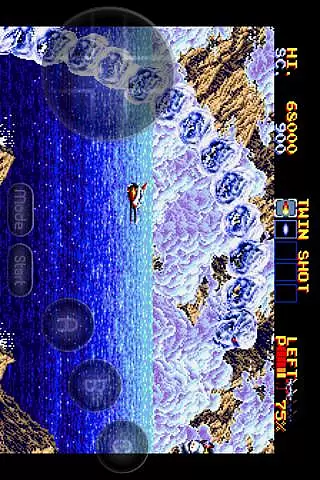
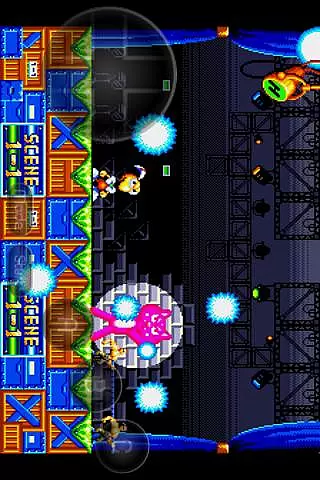
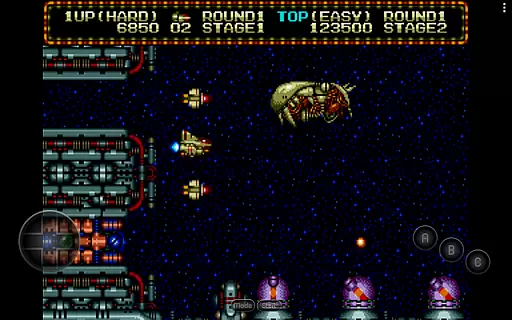
MD.emu is an advanced open-source Sega Genesis/Mega Drive, Sega CD, and Master System/Mark III emulator. It offers a minimalist UI with a focus on low audio/video latency, making it suitable for a wide range of devices from the original Xperia Play to modern devices like the Nvidia Shield and Pixel phones. The app supports various file formats including .bin, .smd, .gen, and .sms, optionally compressed with ZIP, RAR, or 7Z.
One of the standout features of MD.emu is its compatibility with different controllers, supporting both Bluetooth and USB gamepads recognized by the OS, such as Xbox and PS controllers. Additionally, it includes support for cheat codes using the .pat file format, enhancing gameplay flexibility. While Sega CD support is still in beta, users can load .cue or .bin files and enjoy FLAC, Ogg Vorbis, and Wav audio track formats.
This emulator is particularly useful for retro gaming enthusiasts who wish to relive classic games on their modern devices. With configurable on-screen controls and support for 6-button controllers and 4-player multitap, MD.emu provides an authentic and flexible gaming experience.
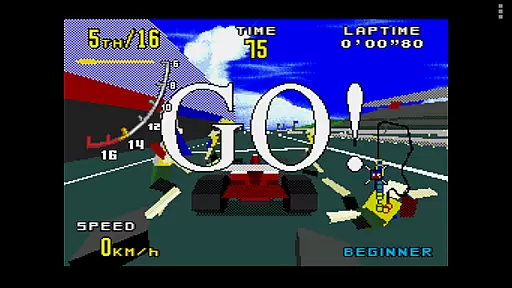
MD.emu boasts a variety of features that cater to both casual and hardcore gamers. The app supports multiple file formats such as .bin, .smd, .gen, and .sms, which can be optionally compressed with ZIP, RAR, or 7Z, providing flexibility in how users manage their game files. Additionally, it includes SVP chip support for Virtua Racing, ensuring compatibility with a broader range of games.
The emulator also supports Sega CD emulation via loading .cue or .bin files, although this feature is currently in beta. Users can enjoy high-quality audio tracks in FLAC, Ogg Vorbis, and Wav formats. The inclusion of gun support (Menacer and Justifier) and cheat code support using the .pat file format adds another layer of versatility to the gaming experience.
Another significant feature is the configurable on-screen controls and support for Bluetooth/USB gamepads and keyboards. This compatibility ensures that users can play games using their preferred input method, whether it's a traditional controller or a keyboard. Overall, these features make MD.emu a robust choice for anyone looking to emulate Sega Genesis/Mega Drive, Sega CD, and Master System/Mark III games on their Android device.
Arcade authenticity and nostalgia are crucial elements for any gaming emulator, ensuring that users can relive the classic gaming experiences of their past with accuracy and fidelity. MD.emu (Genesis Emulator) excels in this area by providing a meticulously crafted emulation environment for Sega Genesis/Mega Drive, Sega CD, and Master System/Mark III games.
This emulator supports a wide array of file formats including .bin, .smd, .gen, and .sms, optionally compressed with ZIP, RAR, or 7Z, allowing users to play a vast library of games just as they remember them. The inclusion of SVP chip support for Virtua Racing and gun support for games like Menacer and Justifier further enhances the authentic arcade experience.
Users benefit from not only the accurate reproduction of original game mechanics but also from modern enhancements such as configurable on-screen controls and support for Bluetooth/USB gamepads and keyboards. This blend of classic gaming nostalgia with contemporary convenience ensures an immersive and enjoyable experience.
The dedication to low audio/video latency and compatibility across a variety of devices, from older models like the Xperia Play to modern devices like the Nvidia Shield and Pixel phones, underscores the emulator's commitment to preserving the integrity and feel of arcade classics while adapting to current technology standards.
Control responsiveness is a vital aspect of any gaming experience, particularly in emulators where precision and immediacy can significantly impact gameplay enjoyment. MD.emu (Genesis Emulator) addresses this need by offering highly responsive controls that cater to both casual gamers and hardcore enthusiasts.
The emulator supports a range of input methods, including configurable on-screen controls, which allow users to customize their interface for optimal performance. Additionally, compatibility with Bluetooth and USB gamepads, as well as keyboards, ensures that players can choose their preferred method of interaction without compromising on speed or accuracy.
One of the standout features of MD.emu is its support for 6-button controllers and 4-player multitap setups, enabling complex gaming scenarios that require quick reflexes and precise inputs. This level of control detail is essential for faithfully reproducing the fast-paced action of arcade games.
By focusing on minimizing latency and maximizing input recognition, MD.emu delivers a seamless and engaging gaming experience. Players can enjoy their favorite Sega Genesis/Mega Drive, Sega CD, and Master System/Mark III games with confidence, knowing that their actions will be accurately reflected in the game world without delay.
Wide device compatibility
Low audio/video latency
Supports multiple file formats
Configurable on-screen controls
Active development and support
Sega CD support in beta
No ROMs included
Complex setup for beginners
Limited user interface customization
Requires BIOS files for Sega CD
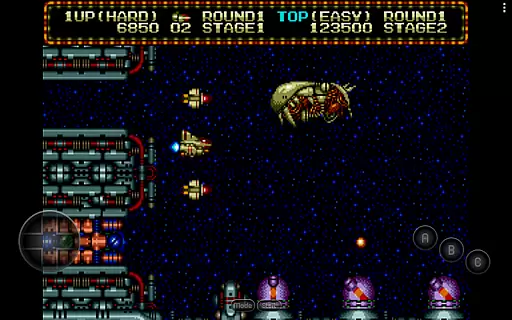

Spaceship racing on a rocky planet — pure action and challenge.
 4.5
4.5
Mine planets, upgrade your space ship, battle others, and dominate the galaxy!
3.90
Sega Saturn Emulator
4.20
Nostalgia.GBA Pro is a high quality GBA emulator.
4.40
Infinite Arcade
4.5
Reach high, and shine in the neon world in 3D!
4.4
Epic offline war strategy game - build your city, train your army, conquer
4.20
Venture into the galaxy to fight against the invasion of space invaders.
4.60
Play all your favorite Playstation games in your android device!!
4.50
Catch ghosts, shoot monsters and defeat bosses in this RPG idle shooting game.
4.70
Gameboy Color Emulator
4.60
Merge bowmasters to win the bow and arrow war! Play the fun archery game!
4.60
Motorcycle racing games! Prove your paperboy can win in the bike race 3D!
4.50
Three awesome new levels for The Impossible Game.
4.30
Collect layers in running game & build the biggest slinky toy to beat the giant!
4.30
Enter Double Dragon Trilogy, a compilation of the beloved arcade series
4.10
Welcome back to Vice City. Welcome back to the 1980s.
3.30
John GBA is GBA emulator. This emulator is easy to use.
3.10
BallStack is a vibrant match-3 game where you stack and match colorful balls!
4.2

User Reviews