

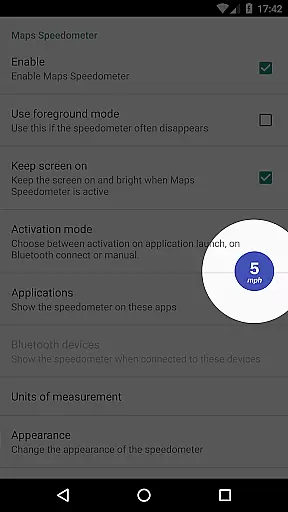
Maps Speedometer is a versatile travel companion that displays your current speed in real-time as an elegant overlay on your device. This innovative app activates automatically when your chosen app is in use or when connected to a Bluetooth device, ensuring you always have access to your speed information without interruptions. Designed with the frequent traveler in mind, it offers customizable settings such as speed units, transparency, size, position, and color options, making it adaptable to any user's preference.
Whether you're navigating through unfamiliar roads or simply monitoring your speed during daily commutes, Maps Speedometer provides a seamless experience by integrating effortlessly with your navigation apps. Its commitment to privacy and security is evident as it operates without advertisements, internet access requirements, or backdoors that compromise your personal data. The app leverages Android's Accessibility services solely to detect the active app, ensuring the overlay appears only when needed.
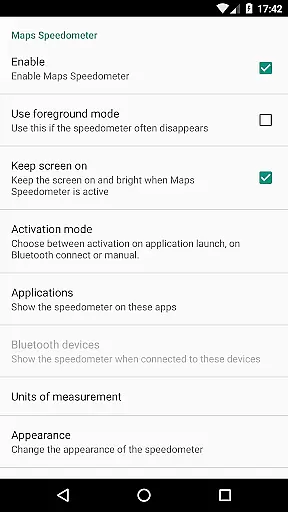
Maps Speedometer stands out with its array of features tailored for convenience and customization. One of its key functionalities is the automatic display and hiding of the speedometer overlay based on the activity of a selected app or Bluetooth connection status. This ensures that the speedometer is present only when necessary, reducing clutter on your screen. Additionally, users can choose their preferred speed units from miles per hour, kilometers per hour, or knots, catering to various regional preferences and modes of transportation.
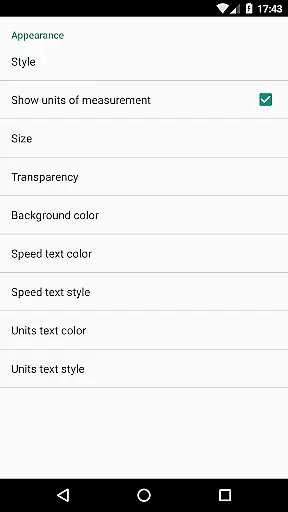
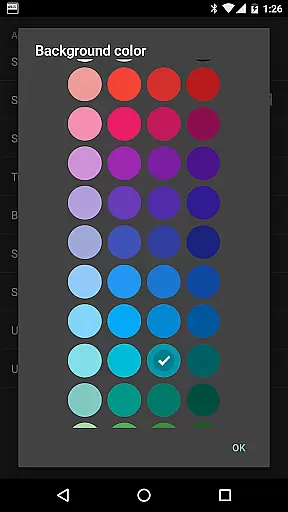
The level of personalization extends further with adjustable transparency, size, position, and even colors and styles of the overlay. These options allow users to tailor the appearance of the speedometer to match their device's aesthetics or visibility needs. Moreover, the ability to temporarily hide the overlay for 10 seconds by touching it adds to the user-friendly design. Compatible with any app on your device, Maps Speedometer proves to be an indispensable tool for travelers seeking both functionality and flexibility in their mobile applications.
Booking authenticity is a crucial aspect of any travel-related application, ensuring that all reservations and bookings made through the app are legitimate and trustworthy. Maps Speedometer, while not a booking app per se, provides an essential tool for travelers who wish to monitor their speed in real-time. The app guarantees the authenticity of its speed readings by using precise GPS data directly from your device, eliminating any guesswork or potential inaccuracies.
The application automatically activates when you launch your preferred navigation app, displaying an elegant overlay with accurate speed information. This feature ensures that users can trust the speedometer's readings during their travels, providing peace of mind and enhancing safety. With no advertisements or unnecessary internet access, Maps Speedometer maintains a transparent environment focused solely on delivering reliable data.
Moreover, the ability to customize the display settings such as transparency, size, position, and color schemes allows users to tailor the experience to their liking. These personalization options reinforce the app's commitment to offering genuine value without compromising on functionality or user experience. By integrating seamlessly with other apps on your device, Maps Speedometer stands out as a dependable companion for anyone looking to keep track of their speed while driving.
Price transparency is vital for consumers making informed decisions about services and products they purchase. Although Maps Speedometer does not involve direct monetary transactions, it offers exceptional value by being completely free of advertisements and hidden costs. Users can enjoy the full range of features without worrying about in-app purchases or subscription fees, which enhances the overall user experience significantly.
The app provides clear information regarding its functionalities, ensuring that users understand exactly what they are getting. For instance, Maps Speedometer displays your current speed in real-time, whether you're using a navigation app or connected to a Bluetooth device. This straightforward approach eliminates any confusion or unexpected surprises, aligning perfectly with the principles of price transparency.
Additionally, the app supports various units of measurement including miles per hour, kilometers per hour, and knots, catering to different user preferences worldwide. Its compatibility with Android Auto further underscores the appu2019s dedication to openness and clarity, even though certain limitations exist due to platform restrictions. Overall, Maps Speedometer exemplifies how transparency in service delivery can lead to greater user satisfaction and trust.
User-friendly interface
Highly customizable
No ads or internet required
Automatic activation
Privacy-focused design
Limited Android Auto support
Requires Accessibility permission
Bluetooth dependency for some features
Overlay may interfere with other apps
Not suitable for all devices

Every Diners, Drive-in & Dives location in one place! Your guide to Flavortown!
 3.00
3.00
The travel app that makes booking cheap flights, hotels, and car rentals easy.
4.80
Take JetBlue everywhere you go! Book, manage and check in for your trips & more.
4.60
Streamline your U.S. entry
4.90
Vacationing on CARNIVAL? Maximize your fun on board with the ultimate cruise app
4.60
One app, 300,000+ travel experiences, tours, and tickets you’ll remember.
4.90
Stay at Motel 6 for less - book fast, save more with MY6 app!
4.70
Find your perfect somewhere with last minute hotel & travel deals!
4.80
Frontier’s Android app makes travelling easier than ever before!
4.70
Replace your car trips with the world’s largest shared electric vehicle company.
4.90
Bus tickets at unbeatable prices with routes across the US. All aboard FlixBus!
4.70
Maximize your cruise vacation with the Royal Caribbean app
4.70
Navigation on hikes is no longer a problem. Download the map, put notes and go!
4.60
Discover the power of one-way location tracking. Share your location securely.
4.50
Listen live to pilots and air traffic controllers around the world
3.80
Mix of explore game, travel mapping & tracking to memorize everywhere you go
3.60
Get Moving Made Easier® with the official U-Haul® Moving & Storage app.
3.40
Apply for an electronic travel authorisation (ETA) to come to the UK.
3.20
Amplify Your Experience
3.00

User Reviews