

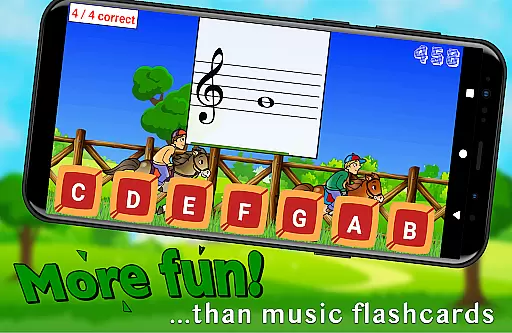
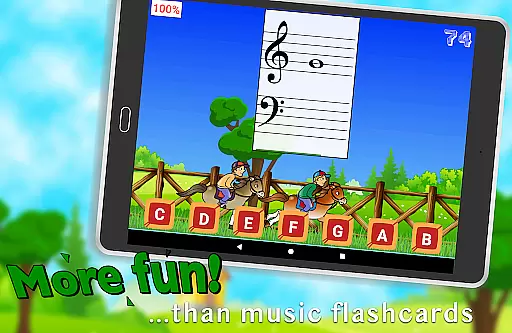
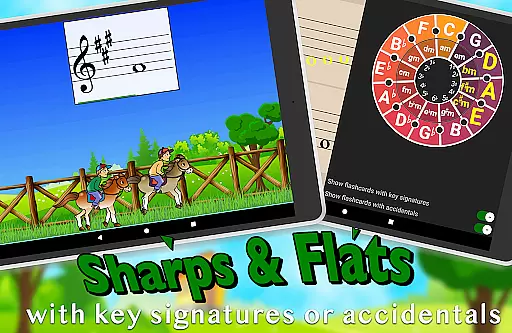
Flashnote Derby is an educational app designed to make learning music notes enjoyable for children. The core function of this app revolves around a timed test format where students identify different notes to advance their horse in a race towards the finish line. This interactive approach not only makes learning fun but also reinforces quick recognition of musical notes, which is crucial for any budding musician.
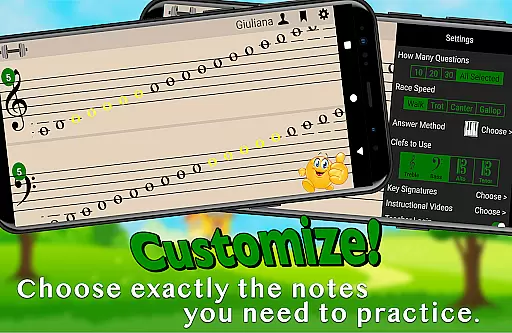
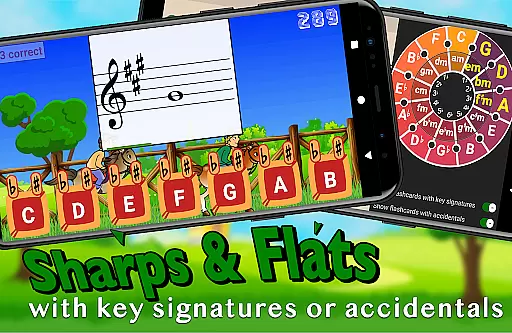
Beyond its primary function, Flashnote Derby offers customization options that allow users to tailor the experience according to their specific needs. Whether it's adjusting note ranges or selecting particular clefs, the app caters to various levels of expertise. Additionally, the inclusion of instructional video lessons within the app provides beginners with accessible resources to start their musical journey without prior knowledge.
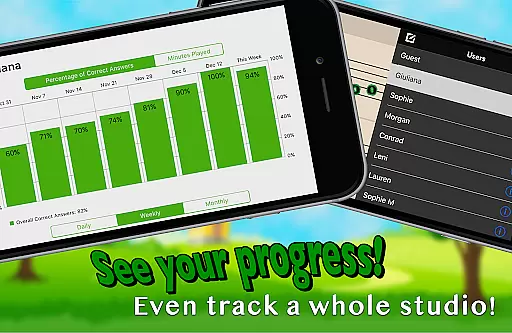
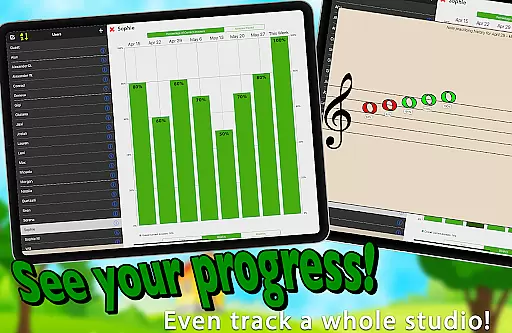
The app serves as an excellent motivational tool for music teachers who wish to integrate technology into their teaching methods. With features like homework assignments and performance tracking, educators can monitor student progress effectively. By making the process of learning music more engaging, Flashnote Derby helps maintain student interest and supports long-term success in music education.
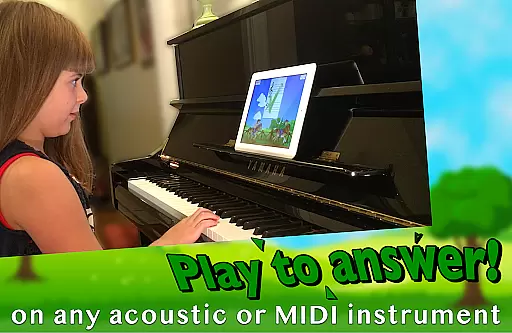
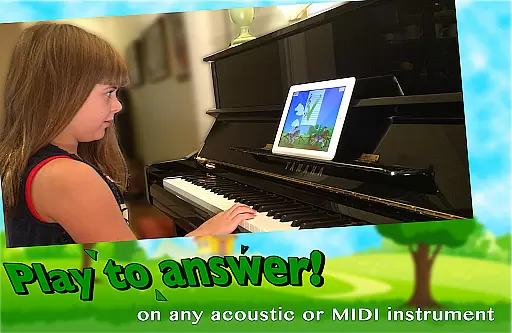
One of the standout features of Flashnote Derby is its adaptability to different learning styles. Students can respond to flashcards by playing notes on their acoustic or MIDI instruments, tapping letter buttons, or using an on-screen piano. This flexibility ensures that learners can engage with the material in a way that suits them best, enhancing retention and understanding.
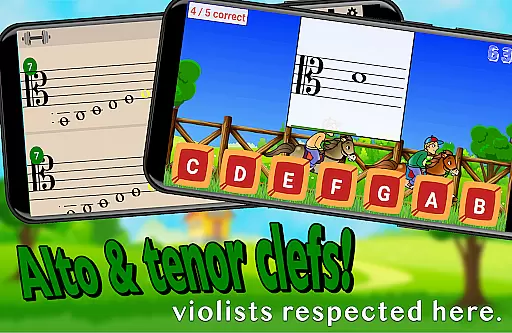
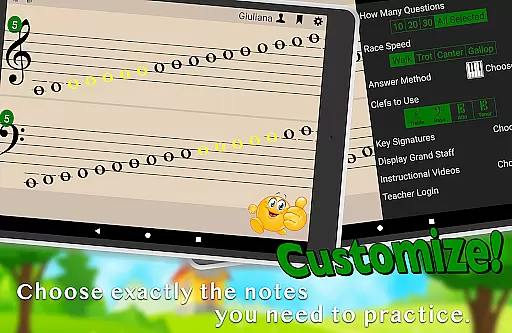
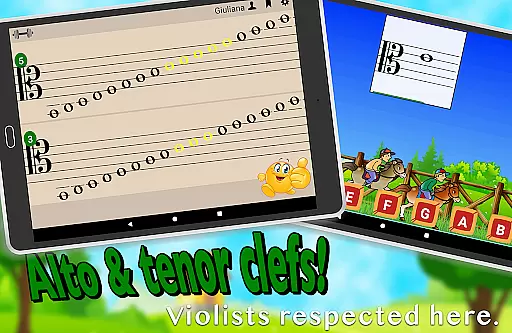
Another significant aspect is the app's customizability. Users can configure the game to focus on specific areas such as treble, bass, alto, or tenor clefs, and even adjust time limits per flashcard based on age and experience. This level of personalization allows for targeted practice sessions that evolve alongside the learner's growing proficiency.
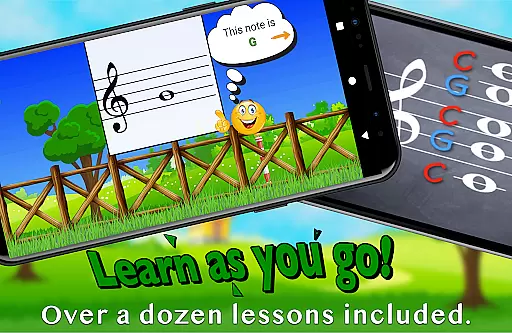
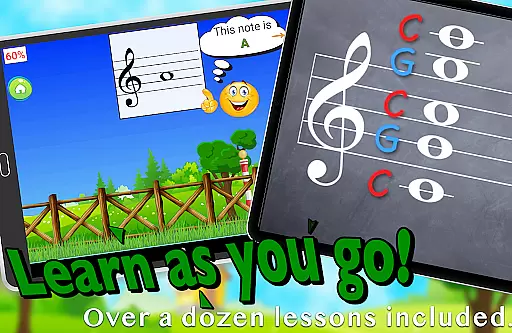
Furthermore, Flashnote Derby includes over a dozen instructional video lessons directly accessible from the app interface. These videos cover fundamental concepts such as the music alphabet and staff notation, providing comprehensive support for beginners. Combined with performance tracking capabilities, these features create a robust learning environment that adapts to individual needs while fostering continuous improvement.
Flashnote Derby focuses on providing accurate and authoritative music education content for young learners. The app is designed to teach children how to read music notes through engaging gameplay. Each note presented in the game corresponds to real musical notes, ensuring that what students learn is directly applicable to their music lessons.
The inclusion of various clefsu2014treble, bass, alto, and tenoru2014and the ability to customize which notes are practiced, allow for a comprehensive learning experience. This customization ensures that students can focus on specific areas they need to improve, making the learning process both efficient and effective.
Additionally, Flashnote Derby offers over a dozen instructional video lessons accessible directly within the app. These lessons cover fundamental topics such as the music alphabet and staff recognition, providing beginners with the necessary background to start identifying different notes correctly. By integrating these lessons, the app reinforces its commitment to delivering precise and reliable educational content.
Teachers can also utilize the app's performance tracking feature to monitor student progress. This allows educators to identify which notes require further review, ensuring that students receive targeted practice. With these features, Flashnote Derby not only enhances music reading skills but also builds a strong foundation for future musical success.
One of the standout features of Flashnote Derby is its ability to create personalized learning paths tailored to each student's needs. The app offers fully customizable settings, allowing users to select specific ranges of notes or individual notes they wish to focus on. This flexibility enables learners to concentrate on areas where they need the most improvement, ensuring a more effective learning experience.
Players can respond to flashcards in multiple ways, including playing notes on an acoustic or MIDI instrument, tapping letter buttons, or using an on-screen piano. This variety caters to different learning styles and preferences, making the app adaptable to each studentu2019s unique approach to learning music.
Furthermore, the difficulty level of the drills can be adjusted to match the learner's progress. Starting with simple exercises involving a few notes, the challenges gradually increase in complexity until the full staff is mastered. This adaptive learning path helps maintain student engagement and motivation as they see tangible progress in their music reading abilities.
Teachers can leverage Flashnote Derbyu2019s email homework assignment feature to assign tailored practice sessions for students to complete at home. By tracking each player's performance, educators gain insights into areas needing additional focus, enabling them to provide more targeted instruction. Through these personalized learning paths, Flashnote Derby supports continuous improvement and mastery of music reading skills.
User-friendly interface
Customizable learning paths
Engaging gameplay mechanics
Comprehensive progress tracking
In-app instructional videos
Limited advanced theory content
No multiplayer functionality
Premium version required for full access
Occasional technical glitches
Interface may feel childish to older users

AR planetarium app that brings the solar system to you via XREAL Glasses.
 4.0
4.0
Grazing Risk Monitoring Service
4.5
Astronomy Guide to the Night Sky
4.40
Explore numbers the Starfall way!
4.00
Our most popular app series returns, better than ever!
3.90
Hasbro’s classic CANDY LAND game is now a gorgeous interactive storybook app.
2.30
Learn to make peaceful contact with extraterrestrial civilizations
4.10
The "Go To" app for Airmen studying for promotion to SSgt and TSgt
4.30
Train, track, and reward potty training using Potty with Pull-Ups® ft. Disney®
4.70
Engage in learning science and math with the award-winning PhET simulations!
4.70
Universe simulator: Find & explore planets system, outer space, astronomy events
4.60
An easy to use yet powerful and full-featured flashcard study app.
4.50
Welcome to the Speak Navajo Language Application - Volume 1
4.50
Stack the Countries makes learning world geography fun!
4.50
School Communication
4.30
Designed for Calculator 84 users
4.20
scanner body part for fun Prank friends realistic scan effects
3.00
Your best partner for learning Japanese words. Based on a best-selling textbook.
2.80
Enrich the experience of your visit to the Pantheon with our audiotour.
1.60

User Reviews