

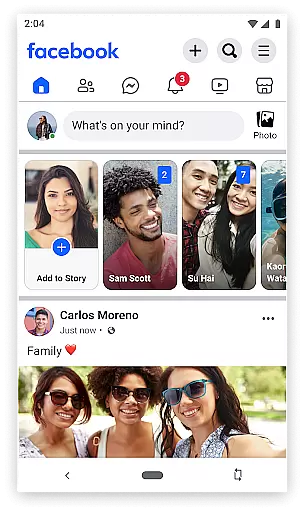
Facebook Lite is a streamlined version of the classic Facebook app, designed specifically for users in areas with limited internet connectivity or devices with restricted storage capacity. This lightweight social networking application allows you to stay connected with friends and family without consuming much data or taking up valuable space on your phone. With its simplified interface and essential features, Facebook Lite makes it easy to share updates, photos, and interact with your network even in 2G conditions.
The app includes core functionalities such as posting status updates, sharing photos, liking posts, and commenting on content. It also supports event planning by letting users find local events, RSVP, and coordinate meetups with friends. Despite its reduced size, Facebook Lite still delivers an engaging experience that keeps you updated with the latest news from around the world while maintaining privacy controls over shared content.
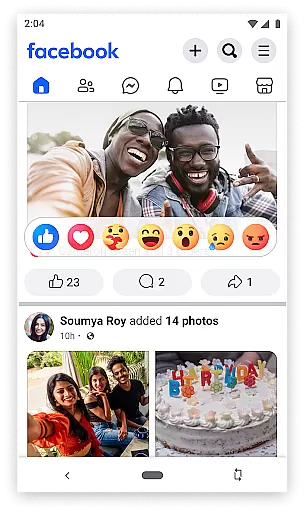
Facebook Lite offers a range of features tailored to provide a smooth and efficient social media experience. The app enables users to perform essential tasks like finding friends and family, posting status updates enriched with Facebook emojis, and sharing photos along with favorite memes. Notifications keep you informed when others engage with your content through likes and comments.
Additionally, Facebook Lite facilitates local community interactions by allowing users to look up nearby businesses, check reviews, operating hours, and browse pictures. It also integrates Marketplace functionality for buying and selling items locally. Privacy settings give you control over who sees your photos, including options for private albums. While lightweight, this app ensures you remain engaged with your interests by following celebrities, brands, or sports teams, keeping their latest updates at your fingertips.
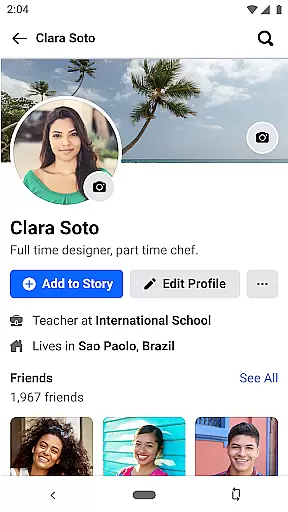
User profile customization is a fundamental aspect of any social networking app, including Facebook Lite. This feature allows users to express their individuality and share relevant information with their network.
Facebook Lite offers a streamlined version of this functionality, enabling users to edit key profile elements such as profile picture, cover photo, bio, and work or education details even in areas with limited connectivity. The app ensures that these customizations are reflected across the platform, maintaining consistency for friends and followers.
Authenticity verification is equally important, ensuring that users are interacting with real people and genuine content. Facebook Lite employs various methods to verify user authenticity, such as cross-referencing profile information and using community reporting tools.
This dual focus on customization and verification enhances user trust and engagement, allowing individuals to create meaningful connections while maintaining platform integrity.
Connection discovery is a vital feature in social apps, helping users find and connect with friends, family, and like-minded individuals. Facebook Lite excels in this area by providing efficient search and suggestion tools despite its reduced size and data requirements.
The app utilizes smart algorithms to recommend potential connections based on existing friend networks, shared interests, and mutual contacts. These suggestions are particularly valuable for users in regions with limited internet access, where traditional social media apps might struggle to function effectively.
Facebook Lite also maintains core discovery features such as people search, friend requests, and group recommendations. These tools help users expand their social circles and engage with communities that matter to them, regardless of their location or device limitations.
By optimizing these connection discovery features for low-bandwidth environments, Facebook Lite ensures that users worldwide can build and maintain their social networks efficiently and reliably.
Lightweight design
Low data usage
Quick loading times
Essential social features
Offline functionality
Limited advanced features
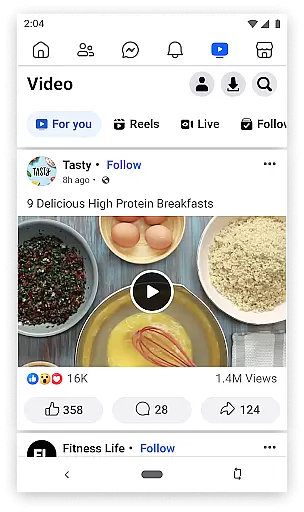
No video streaming
Basic UI design
Fewer customization options
Reduced photo quality


Positive social
 4.20
4.20
Meet Strangers Online, Live Video Chat & Make Random Video Calls on Joi!
4.30
Honest dating app where real people find genuine love and real matches.
4.20
Date single & make friend
4.60
Live pics from your friends - Only the photos you want to see
4.60
The world's leading social networking app for gay, bi, trans, and queer people.
4.10
Build Your Team With One App
4.30
Free texting (SMS) to US, Canada & more. Free new number. Call free & Text free.
4.30
A little connection can go a long way
4.60
Watch super live shows 24/7, chat & meet friends in Plamfy social networking app
4.70
Raise cute Pengus with friends
4.70
Social calendar for friends to make plans, group chat, share events & schedules
4.60
Watch 24/7 great live stream, or go live to boost your social followers!
4.50
Online group games like Mafia, Word War, Scattergories, Ludo, Uno, and many more
4.30
The official Skool app. Stay connected to your communities on the go.
4.20
Watch, Edit, Upload and Share Gaming Clips
4.00
Meet online & chat with people! Talk, have fun, make connections in real time!
4.00
Random chat & meet online. Find your soulmate or someone special and have fun!
3.90
Resonate & Date with New Match
3.70


User Reviews