

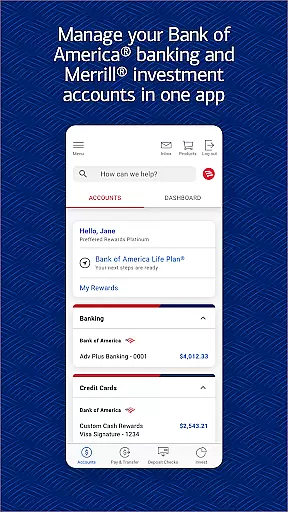
Bank of America Mobile Banking is a comprehensive financial management app designed for U.S.-based customers. It allows users to conveniently and securely manage their checking, savings, credit card, loan, and investment accounts from their mobile devices. The app provides robust features such as account monitoring, money transfers, bill payments, check deposits, and access to Erica, a virtual financial assistant.
With its user-friendly interface, the app offers advanced security measures including Touch ID and Face ID support, immediate fraud alerts, and a dedicated security center. Additionally, it integrates with Merrill for investment management, providing tools for stock trading, market data analysis, and secure communication with advisors. Users can also monitor their FICO credit scores and utilize budgeting tools to track spending and create savings goals.
This app is particularly beneficial for individuals seeking an all-in-one solution for managing their finances on-the-go while ensuring top-notch security and personalized financial insights.
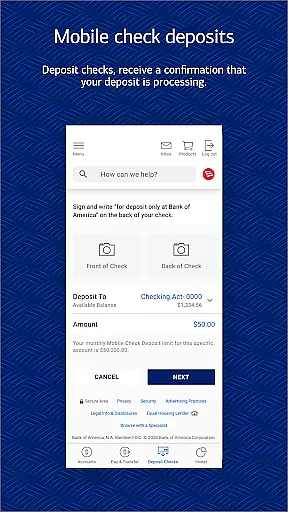
Bank of America Mobile Banking stands out with its extensive range of features tailored for seamless financial management. One of its core functionalities is the ability to view account balances and review activities in real-time, allowing users to stay updated on their financial status. The app also supports activating or replacing credit/debit cards directly through the interface, setting up important alerts, and managing multiple types of accounts including checking, savings, credit cards, loans, and investments.
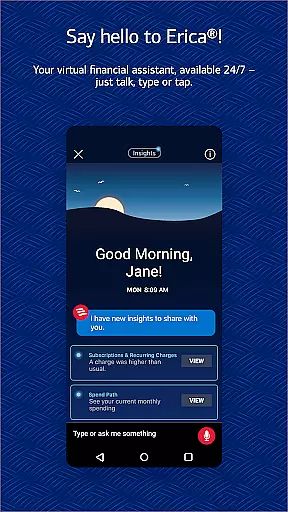
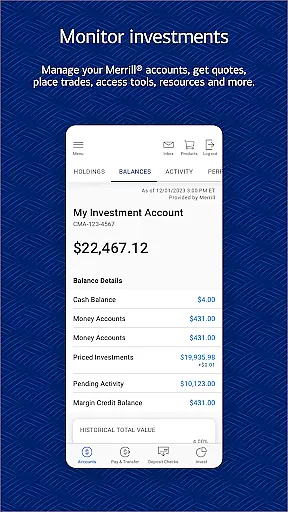
Another significant feature is the integration with Zelle, enabling users to send and receive money using just a U.S. mobile number or email address. For investment enthusiasts, the app offers comprehensive tools through Merrill, allowing users to trade stocks, ETFs, mutual funds, and view up-to-date market data. Erica, the virtual financial assistant, adds another layer of convenience by helping users find transactions, pay bills, and provide valuable financial insights.
The app ensures robust security with options like Touch ID, Face ID, and instant notifications for any suspected fraudulent activity. Furthermore, users can easily check their FICO credit scores and understand key factors affecting them, making this app an indispensable tool for anyone looking to maintain healthy financial habits.
Account and Fund Security is a critical feature for any financial application, ensuring that users' sensitive information and funds are protected from unauthorized access. The Bank of America Mobile Banking app addresses this need by implementing advanced security measures such as Touch IDu00ae and Face IDu00ae, which provide biometric authentication to safeguard your accounts.
In addition to biometric security, the app actively monitors for fraudulent activity on your cards. If any suspicious behavior is detected, you will be promptly notified, allowing you to take immediate action to protect your finances. This proactive approach to security ensures that potential threats are identified and mitigated before they can cause harm.
The app also features a comprehensive Security Center where users can review their security settings and learn about best practices for maintaining account safety. With the Mobile Banking Security Guarantee, customers can have peace of mind knowing they are not liable for fraudulent transactions if reported promptly. This commitment to security empowers users to bank with confidence, knowing their assets are well-protected.
A seamless transaction experience is essential for a mobile banking app, and the Bank of America Mobile Banking app excels in providing users with convenient and efficient ways to manage their finances. Through the app, users can easily view account balances, review recent activity, and set up alerts for important account information, ensuring they stay informed about their financial status at all times.
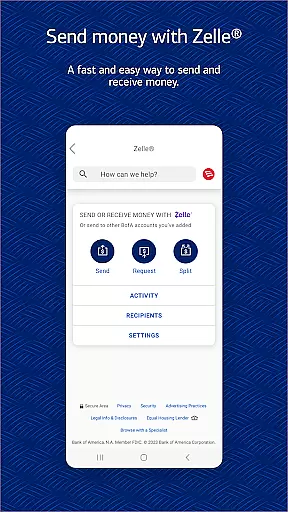
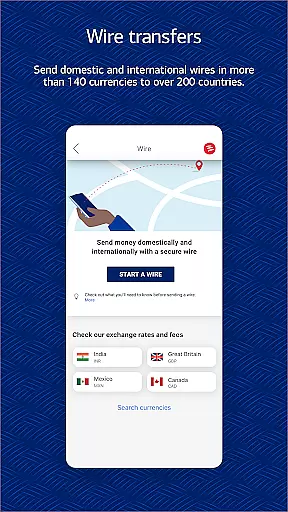
One standout feature is Zelleu00ae, which allows users to securely send and receive money using just a U.S. mobile number or email address. This service simplifies peer-to-peer payments, making it easier than ever to split bills or reimburse friends. Additionally, users can transfer funds between their Bank of America accounts and linked Merrill accounts, streamlining the process of managing multiple accounts.
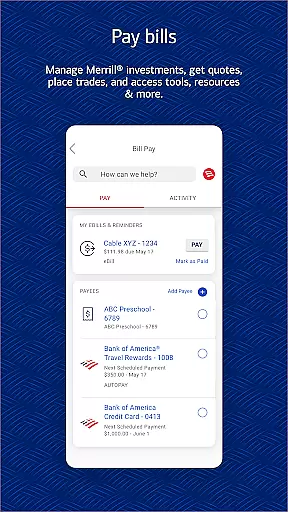
To further enhance the transaction experience, the app offers bill payment functionality, enabling users to pay their bills directly from their mobile device. With these robust transaction capabilities, the Bank of America Mobile Banking app provides a comprehensive and user-friendly platform for managing everyday financial tasks efficiently and effectively.
User-friendly interface
Comprehensive account management
Advanced security features
Integrated investment tools
Virtual financial assistant
Limited to U.S. users
Requires registration for some features
Occasional bugs reported
Deposits not immediately available
Investment risk involved

Currency Converter, Exchange Rates, Widgets
 4.90
4.90
Download the MySynchrony App to manage your accounts securely and conveniently!
4.60
Bitcoin gpu app helps you remote mine using your cell phone easily .
3.60
Debt pay off. Build credit history. AI budget tool. Loan offers.
4.60
Easily invest, save, and plan—all in one app.
4.60
Get, Earn, and Save Money
4.30
Check EBT, SNAP, WIC balances, manage food stamps, and save money with benefits
4.80
Registration of your debts and Mdionatk and assembled, as well as a significant reports
4.30
Access State Farm accounts, policies, ID cards and more
4.60
Secure, simple money transfer app. Send money to Mexico and worldwide fast.
4.80
The DailyPay app lets you access earned wages before your next payday.
4.70
Cash Advance, Credit Cards, Credit Lines, Score Monitoring, Saving, Budgeting
4.70
Manage your prepaid cards and add to Google or Samsung Wallet.
4.60 4.50
4.50
The simplest way to budget, bank, save and invest.
4.50
Car Insurance Made For You.
4.50
Get up to 500, get paid early, earn interest and find work with no hidden fees.
4.40
The PayPal app is the secure way to send and receive money, shop and pay in 4.
4.20
StockTiles lets you view prices & charts of your favorite stock assets
2.30


User Reviews