

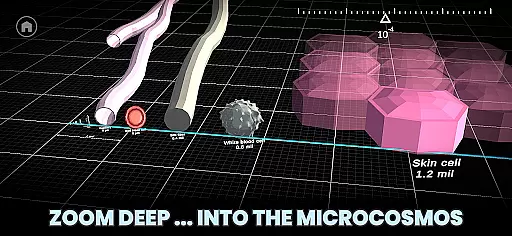
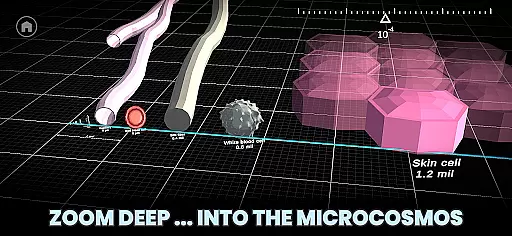
Univerzoom 3D is an interactive educational app that allows users to explore the vastness of the universe and the intricacies of the microcosmos with simple finger gestures. This Books & Reference app provides a fully immersive 3D experience, inspired by popular Universe Size Comparison videos, but with added interactivity and facts at your fingertips.
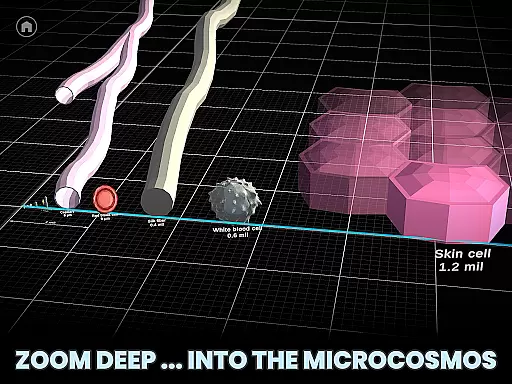
The app's universal zoom feature lets you travel billions of light years to the edge of the visible universe or delve into microscopic dimensions, even down to atoms. It caters to all ages, making it easy for everyone from children to adults to grasp the concept of scale in our cosmos. With Univerzoom 3D, users can compare celestial bodies like the Sun to other stars, planets, rockets, and even everyday objects, providing a true sense of size and perspective.
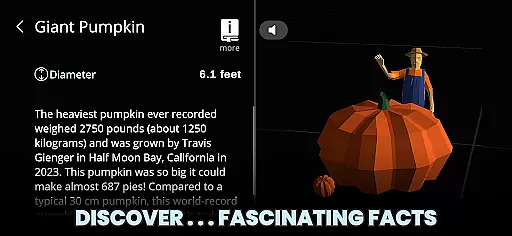
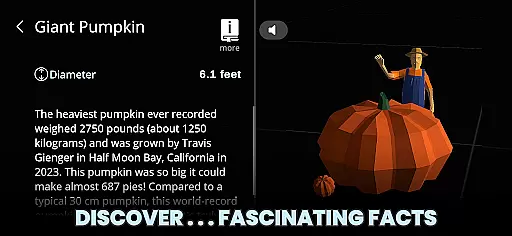
Whether you're a student, educator, or simply a curious mind, Univerzoom 3D offers a unique learning opportunity. The app includes Text-to-Speech functionality for reading fascinating facts aloud and connects users to trusted external sources for further details on selected objects. Its intuitive interface and comprehensive content make it a valuable tool for anyone interested in astronomy, physics, or general science education.
Univerzoom 3D stands out with its array of features designed to enhance user engagement and understanding. The app's defining characteristic is its universal zoom capability, which allows seamless scaling from cosmic expanses to subatomic particles through intuitive touch controls. Users can explore the universe in 3D, comparing sizes of diverse objects ranging from massive celestial bodies to minute particles.
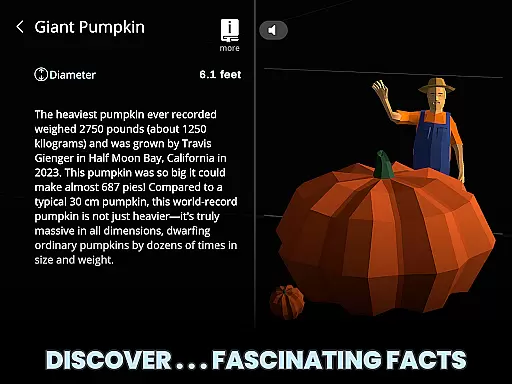
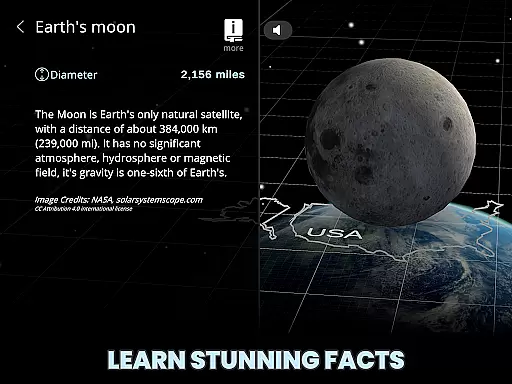
Another key feature is the app's educational aspect. Univerzoom 3D incorporates Text-to-Speech technology to narrate interesting facts about various objects within its database. This auditory learning approach complements visual exploration, catering to different learning styles. Additionally, each object comes with links to trusted external sources, enabling deeper research into topics of interest.
Accessibility is also central to Univerzoom 3D's design. Its user-friendly interface ensures that individuals of all ages can operate the app without difficulty. Whether it's grandparents looking to spark their grandchildren's interest in science or students conducting academic research, Univerzoom 3D provides an inclusive platform for discovery and learning across generations.
Univerzoom 3D offers an extensive virtual library that goes beyond traditional e-books. The app allows users to explore a vast universe of knowledge, scaling from the largest cosmic objects down to the smallest atomic particles. This interactive experience provides a rich educational resource that is both engaging and informative.
The content within Univerzoom 3D is crafted with attention to scientific accuracy and detail. Each object and fact presented has been researched and verified, ensuring the information's authenticity. This dedication to precision makes the app a trustworthy tool for learning about the universe's scale and complexity.
While not a conventional e-book library, Univerzoom 3D provides a significant amount of readable material. Users can access fascinating facts about various cosmic entities, which are akin to individual book chapters. These bite-sized pieces of content offer a modern twist on traditional reading, allowing users to learn at their own pace and according to their interests.
Copyright authenticity is maintained through the app's use of original content and licensed materials. By sourcing information from trusted external references and employing Text-to-Speech technology for accessibility, Univerzoom 3D ensures that its educational offerings are both unique and respectful of intellectual property rights.
Univerzoom 3D showcases exceptional format compatibility by integrating multiple types of media into its platform. Unlike static e-books, this app combines 3D models, text, and audio to create an immersive learning environment. This multimedia approach caters to different learning styles and preferences, making complex scientific concepts more accessible.
The app supports various interaction methods, including touch gestures for zooming and panning across scales. This intuitive control scheme eliminates the need for specific file formats or conversion processes, providing seamless navigation through the universe's vastness. Users can easily transition from exploring massive galaxies to examining minute particles without any technical barriers.
Furthermore, Univerzoom 3D incorporates Text-to-Speech functionality, enhancing its format compatibility. This feature reads aloud fascinating facts about selected objects, catering to auditory learners and those who prefer listening over reading. The integration of this technology demonstrates the app's commitment to inclusive design principles.
By focusing on universal accessibility and interactive experiences rather than traditional document formats, Univerzoom 3D sets itself apart in the realm of educational tools. Its innovative approach to presenting information ensures that users can engage with content in ways that suit them best, regardless of conventional format limitations.
User-friendly interface
Interactive 3D models
Educational content
Text-to-Speech functionality
Trusted external sources
Limited offline functionality
Requires internet connection
Premium content locked
Occasional bugs reported
Heavy app size












The Bible Audio Guide
 4.80
4.80
The ultimate military vehicle identification (Equipment ID) guide.
4.40
Master AKC Rally signs with in-depth hints, diagrams, and expert guidance.
4.50
Improve your vocabulary and grammar with the 15 biggest Oxford Dictionaries.
4.30
Discover Stars and Planets: Live Map Shows Current Constellations in Full Detail
4.70
Scan. Price. Grade.
4.60
Enjoy your favorite books
3.50
Daily Bible app: King James Version with verses and audio for studying&prayer
4.40
Follow complex state CCW permit laws and lawfully carry firearms in each state.
4.80
Daily rosary and gospel reflections for catholic
4.90
King James Bible read offline, AI Priest, Bible Quiz, Guiding Prayers & Plans
4.80
Holy Bible, a KJIV Bible study, audios & daily verses, talk with God now.
4.80
My Bible offers a comprehensive app by providing offline access, daily verses.
4.80
Read unlimited novels, audiobooks, stories & Unlock ebooks, fanfiction and more!
4.70
Powerful Bible study tools linked to every verse in an easy-to-use Bible reader!
4.60
Build family tree & discover DNA, family history heritage, origins and ancestors
4.60
Shop over 13 million new and used books at up to 80% off list price
4.20
Battle Royale Chapter 5 Season 2 HD Wallpapers Emotes Skins and BattlePass
3.00
The Psalms for singing
4.2


User Reviews