

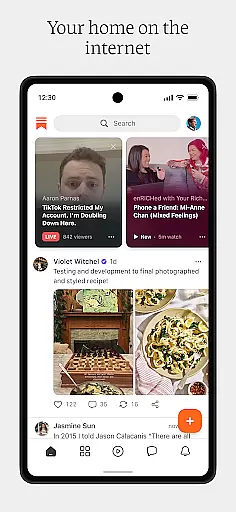
Substack is a revolutionary media app that bridges the gap between creators and their audiences. It allows users to support their favorite writers, artists, and podcasters by subscribing to their content, either for free or through paid subscriptions. The app offers an ad-free experience with access to videos, podcasts, and livestreams, ensuring uninterrupted enjoyment of original work. Additionally, Substack fosters real-time engagement through live group chats and livestreams, creating a dynamic community around independent ideas across various topics such as food, sports, politics, fashion, comedy, and finance.
The platform's unique approach lies in its ability to empower both creators and consumers. Creators can publish their work directly to their audience, while users gain access to high-quality, niche content tailored to their interests. This direct connection not only supports independent journalism and creative expression but also encourages diverse perspectives and bold opinions. Whether you're looking to stay informed on current events or explore new ideas, Substack provides a personalized and engaging media experience.
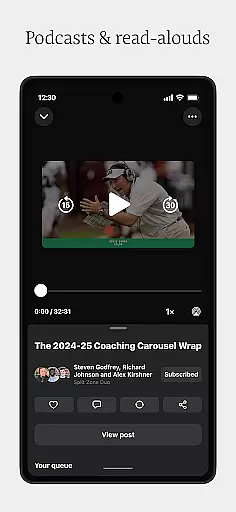
Substack stands out with its comprehensive feature set designed to enhance user engagement and creator independence. One of its key features is the ability to subscribe to creators' content, which can range from written articles to video episodes and podcasts. This subscription model supports creators financially while giving subscribers exclusive access to their work. Furthermore, the app ensures an ad-free environment, allowing users to enjoy content without interruptions, thereby enhancing the overall viewing and listening experience.
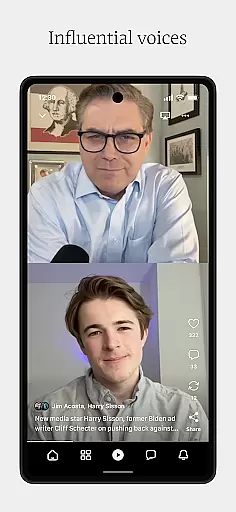
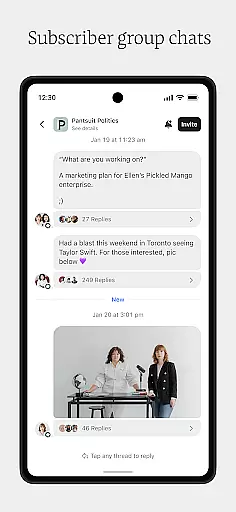
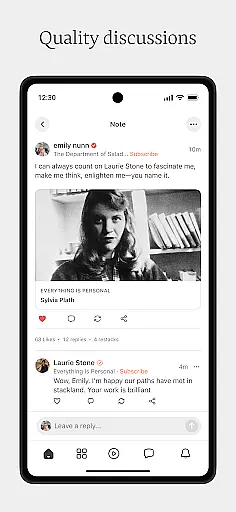
Another notable feature is the real-time interaction enabled through livestreams and live group chats. These tools allow creators to engage directly with their audience, fostering a sense of community and loyalty. Users can participate in discussions, ask questions, and provide feedback in real time, making the content consumption process more interactive and personal. Additionally, Substack's discovery feed helps users explore a wide array of independent ideas and voices, promoting diversity in media consumption. By combining these features, Substack creates a vibrant ecosystem where creativity and community thrive.
In today's digital age, the credibility and diversity of news sources are more important than ever. Substack addresses this by connecting users with a wide array of creators, including writers, artists, and podcasters, who provide original and bold content across various topics such as food, sports, politics, fashion, comedy, finance, and more.
Substack ensures that the information you receive is not only credible but also diverse in its perspectives. By subscribing to your favorite creators, you can access their unique viewpoints and in-depth analysis without the interruptions of traditional media.
The app allows for direct interaction with these creators through features like live group chats and livestreams, enhancing the authenticity of the news and opinions shared. This level of engagement helps build trust between creators and subscribers, ensuring that the news you consume is reliable and comes from a verified source.
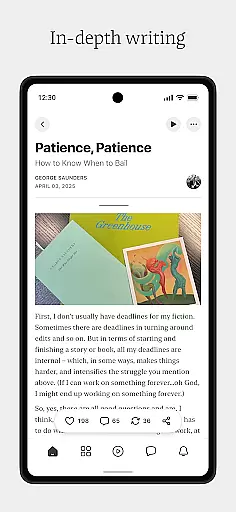
Accuracy in reporting and rigorous fact-checking are the cornerstones of trustworthy journalism. Substack places a strong emphasis on these values by enabling creators to publish ad-free videos, podcasts, and read-aloud articles that focus on delivering accurate and well-researched content.
Creators on Substack are independent voices who take responsibility for the accuracy of their work. They often have expertise or a deep passion for their chosen subject areas, which means they are invested in providing high-quality, factual content to their audience.
While Substack itself does not perform fact-checking, it empowers creators with tools to produce and share their insights directly with subscribers. This direct line of communication fosters an environment where content accuracy is paramount, as creators maintain their reputation and relationship with their audience based on the reliability of their content.
User-friendly interface
Ad-free content
Supports creators
Real-time engagement
Diverse content options
Limited offline functionality
Paid subscriptions required
Content quality varies
Interface can be cluttered
Occasional bugs reported

Noisy. Opinionated. Right.
 4.40
4.40
Never miss Local news, Breaking news and weather forecast from your neighborhood
4.50
Watch the CBS News 24/7 live stream for breaking news & in-depth reporting.
3.20
World News On Finance, Business, Economics, Stock Market & Investment Portfolio
4.00
CGTN: See the difference
4.30
SAN | Unbiased News. Straight Facts.™
4.70
Get the latest in politics, breaking news, world events, finance and health.
3.10
Crime map, police scanner & alerts
4.80
Breaking News & Social Media
3.70
Live Breaking News & Alerts. Police, Fire, Weather Radios, Air Traffic, & more.
4.80
Join the Neighborhood
4.70
Breaking news alerts, headlines and live video from NBC News
4.50
Global news delivery, see all major world events, grasp the latest information.
4.40
Stay connected with Local News for the latest weather, events, and breaking news
4.40
Get breaking news, local stories, and weather updates in one app. Stay ahead!
4.30
Stay informed. Get all your world and local news with AP News!
4.30
Local stories, live news coverage, weather forecasts, radar, and daily updates
4.10
Celebrity news, entertainment buzz, true crime, free crosswords & daily games.
3.80
Get daily news & live updates on US breaking news stories & global headlines
3.20

User Reviews