
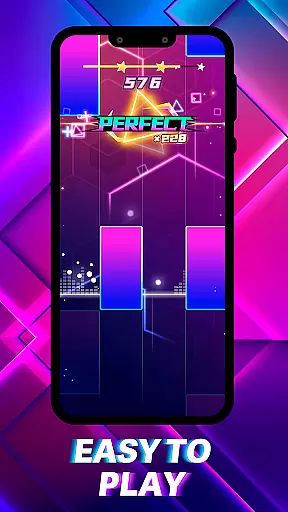
Piano Spark: Ignite the Beat is a rhythm-based music game that combines intuitive piano gameplay with dazzling visual effects. The app allows users to experience a unique musical journey where every note played creates vibrant symphonies of light and sound.
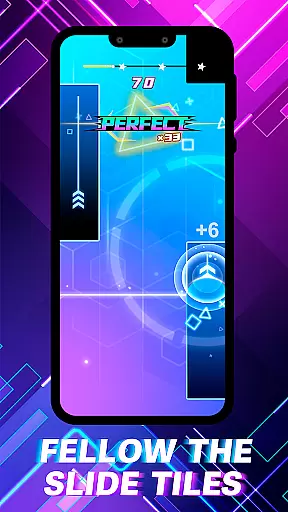
Core features include tap, hold, and slide mechanics for mastering melodies, sparkling stages with dynamic visuals, and a creative mode for personalized light shows. Whether you're a seasoned musician or casual player, Piano Spark offers an engaging experience that connects emotional inspiration with addictive gameplay.
Ideal for music enthusiasts and gamers alike, this app provides an innovative way to interact with music through both auditory and visual stimulation. Its sleek design and luminous effects make practice feel like a professional performance, bringing joy to every play session.
Piano Spark stands out with its innovative blend of rhythm gaming and creative expression. The app's tap, hold, and slide mechanics cater to players of all skill levels, ensuring accessibility without compromising challenge.
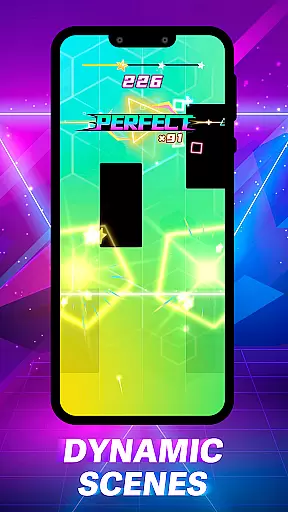
Visually, it captivates users with sparkling stages and luminous effects that pulse with each note. These stunning graphics are complemented by a sleek, modern interface designed for seamless navigation. Additionally, the Creative Mode lets users paint their own light shows, adding a personal touch to every performance.
Beyond entertainment, Piano Spark fosters emotional connections to music while offering moments of joy through sharing. This combination of precision gameplay, breathtaking visuals, and expressive freedom makes the app a standout choice in the music gaming genre.
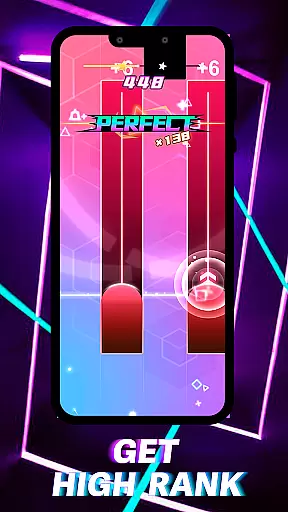
Piano Spark offers an exceptional rhythm gaming experience with its precise judgment system. The game evaluates each tap, hold, and slide with meticulous accuracy, ensuring that every note played is in perfect harmony with the music.
Players are guided to hit notes at the right moment, creating a dazzling symphony of light and sound. This precision not only enhances the gameplay but also helps users improve their timing and musical sense as they progress through various levels.
The intuitive gameplay mechanics make it accessible for both beginners and experienced players. With real-time feedback on their performance, users can refine their skills and enjoy a rewarding musical journey.
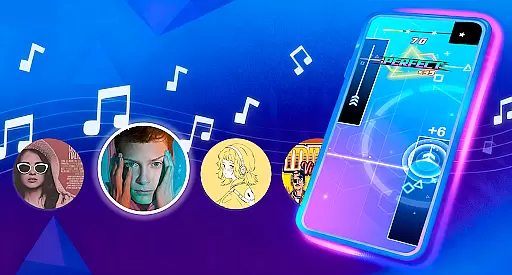
One of Piano Spark's standout features is its diverse and high-quality music library. Players can immerse themselves in a wide array of songs that cater to different tastes and skill levels, from classical pieces to modern hits.
Each track is carefully selected and masterfully integrated into sparkling stages that pulse with the beat. The vibrant, dynamic scenes and luminous effects create an engaging audio-visual experience that captivates players throughout their musical journey.
Moreover, the inclusion of creative modes allows users to express their artistry by customizing performances and painting the sky with their own light shows. This combination of rich content and interactive features ensures endless entertainment and inspiration.
Intuitive controls
Vibrant visuals
Creative Mode
Emotional connection
Accessible gameplay
Limited song library
Ads between plays
Premium upgrades
High difficulty spikes
Battery intensive
Immersive piano tiles rhythm game! Tap to the beats of Hip-Hop and EDM songs.
 4.70
4.70
Kawaii dog, cat, animals buddies duet. Fun relaxing game from Magic Tiles team.
4.30
Capture your most precious gaming moments with the rhythm of piano music!
4.20
Fast & Furious! Race with rhythm to win more supercars!Beat Racer Rush for Glory
3.60
Beat rap and dance battle with Sprunki friends in funky nights!
4.80
A favorite of music teachers, Note Rush boosts note reading speed and accuracy.
4.20
Customize lowriders, cruise online with friends, and trade in a vibrant city!
3.90
Bounce the ball on music tiles to the beat of trending songs! Feel the magic!
4.50
Satisfying beats and rhythm with your monster band. Relaxing music, cute friends
4.70
Create your own music with the help of a merry crew of beatboxers!
4.90
Thump to the rhythm and bounce to the beat with these fuzzy musical monsters!
4.70
Jam with Sprunki Monster in this ultimate music game
4.60
Guide two orbiting planets along a winding path by tapping perfectly in rhythm
4.60
Piano game with popular songs. Enjoy the fun of music games and K-pop games!
4.50
Non-stop rhythm action at your fingertips with the latest Hatsune Miku game!
4.50
Tap the piano music tiles in the EDM music rhythm in a tap tap tile piano game
4.50
Drum set app with various lessons to help you learn to play the drums like a pro
4.40
Enjoy songs & crash same color blocks in a rhythm action surf, dash music game.
4.40
Create a kids' marching band with fun instruments and interactive music & rhythm
4.10
User Reviews