

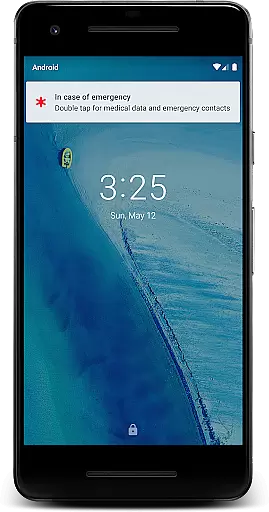
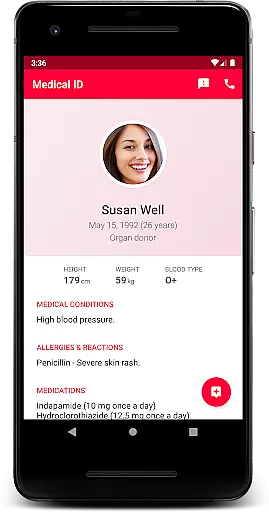
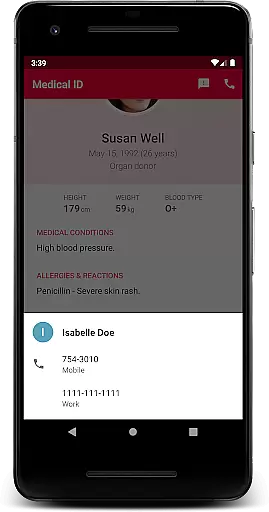
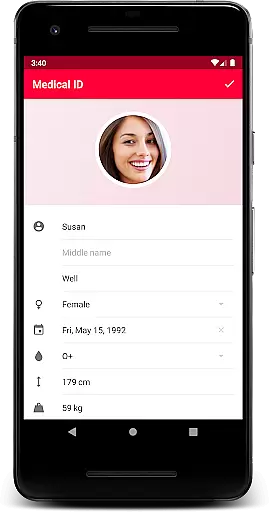
Medical ID (premium) is a vital application designed to transform your Android device into an essential tool for emergency situations. This app allows users to create comprehensive medical profiles that are accessible directly from the lock screen, ensuring that first responders can obtain critical information without needing to unlock the device. Key details such as allergies, blood type, and emergency contacts are readily available, which could prove invaluable during medical emergencies.
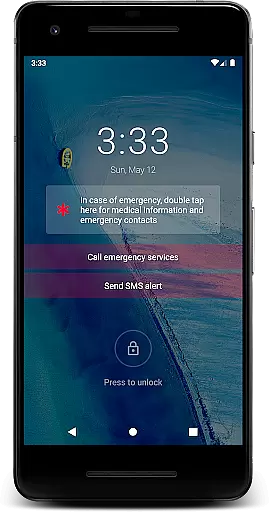
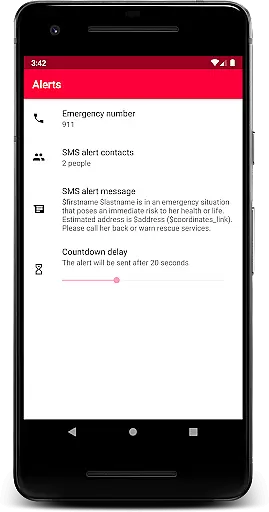
In addition to its core functionality, Medical ID offers advanced features like one-click emergency SMS alerts with location data, continuous location sharing with designated contacts, and direct calling to emergency services from the lock screen. The app also includes health management tools such as Body Mass Index (BMI) calculation and provides current GPS coordinates. These capabilities make it an indispensable resource for both personal health management and emergency preparedness.
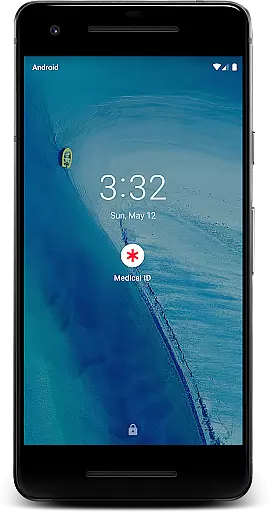
Medical ID stands out through its robust set of features tailored for emergency preparedness and personal health management. One of its primary functions is enabling quick access to medical information via an accessibility service that displays a widget over the lock screen. This feature not only aids individuals with disabilities but also assists first responders in swiftly accessing crucial medical data during emergencies.
Beyond basic profile creation, the premium version unlocks several advanced functionalities. Users can send emergency alerts containing their estimated location via SMS with just one click. Continuous location sharing with trusted contacts ensures peace of mind even when the app is closed. Additionally, the app facilitates direct calls to emergency services without requiring the phone to be unlocked. With added tools like BMI calculation and precise GPS coordinates, Medical ID equips users with everything needed for effective health monitoring and rapid response in critical situations.
In the realm of medical applications, the credibility of content is paramount. Medical ID (premium) ensures that all medical information provided is accurate and reliable. The app allows users to create detailed medical profiles accessible from the lock screen, ensuring first responders can quickly obtain critical data such as blood type, allergies, and emergency contacts.
The premium version enhances its reliability by integrating features like Body Mass Index (BMI) calculation and current location tracking through GPS coordinates. These features are designed based on recognized medical practices, ensuring that the information presented is not only accessible but also adheres to professional standards.
Furthermore, the app's functionality extends to real-world emergencies with features like one-click emergency alerts via SMS and direct calls to emergency contacts without unlocking the device. This practical approach ensures that attending medics or medical personnel have immediate access to potentially life-saving information.
By enabling an accessibility service, Medical ID displays a widget over the lock screen, making it invaluable in situations where every second counts. This attention to detail and commitment to verified medical content makes Medical ID a trusted tool for both users and medical professionals.
Teleconsultation has become an essential aspect of modern healthcare, and Medical ID (premium) incorporates features that support high-quality remote consultations. While the app itself does not conduct teleconsultations, it facilitates better communication between patients and medical staff during emergencies by providing quick access to vital medical information.
One standout feature is the ability to share your live location with emergency contacts for up to 24 hours, even when the app is closed. This ensures that medical personnel can locate you swiftly in case of an emergency, enhancing the quality of teleconsultations by providing contextual data that might be crucial for diagnosis or treatment decisions.
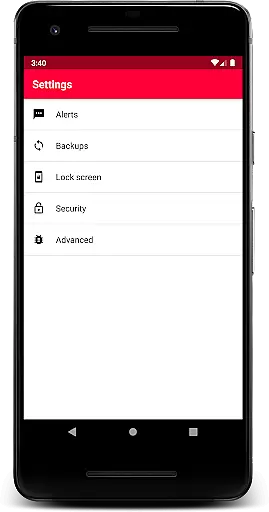
Additionally, the app includes a backup feature that users can trigger manually, ensuring that all medical information remains secure and up-to-date. This level of data integrity supports healthcare providers in delivering informed and timely advice during teleconsultations.
With direct emergency contact calls available from the lock screen, Medical ID bridges the gap between traditional telemedicine apps and practical emergency response tools. This seamless integration of features ensures that users receive comprehensive support, whether they're consulting remotely or requiring urgent medical attention.
Quick access to medical info
Emergency SMS alerts
Location sharing feature
Direct emergency calls
BMI calculation included
Premium version costly
Device compatibility issues
Requires accessibility setup
Permissions may concern users
No cloud backup option

A scientifically-proven method to help people with dementia or memory impairment
 4.2
4.2
The NightOwl Companion app allows you to interact with the NightOwl sensor.
4.70
Easy telehealth appointments + urgent care
4.70
Use the phone microphone or headset mic as sound amplifier for louder hearing.
4.30
Take your aphasia therapy to the next level with 4 evidence-based advanced apps
4.70
CPR Timer for High Performance AHA BLS / ACLS
5.00
The world's best selling 3D Human Anatomy app with groundbreaking 3D technology
2.00
Continuous Glucose Monitoring
3.40
Get Rx fast at the pharmacy, schedule health care, and shop ExtraCare savings.
3.30
Spruce is the leading platform for HIPAA-compliant communication and care.
4.90
Donating blood and platelets is easier than ever with The American Red Cross.
4.80
Be more confident prescribing homeopathy at home for your family.
4.80
Amplify surrounding sounds, conversations, TV or lectures for louder hearing.
4.70
Blue Cross and Blue Shield of Texas member information
4.60
Beat alcohol and drug addiction with a revolutionary treatment program in an app
4.50
Molina Members: My Molina. Manage your health anytime, anywhere!
4.30
Your pocket guide to following The Monash University Low FODMAP diet.
4.20
Explore human anatomy with this rich learning experience.
4.00
X-Vein: Advanced vein detection for medical practice
3.10
User Reviews