

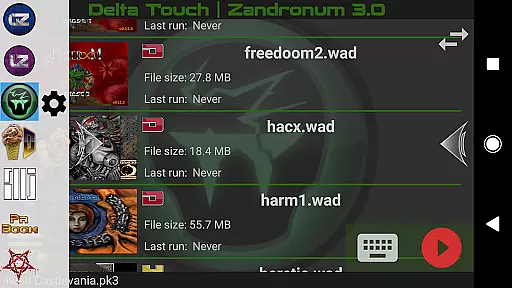
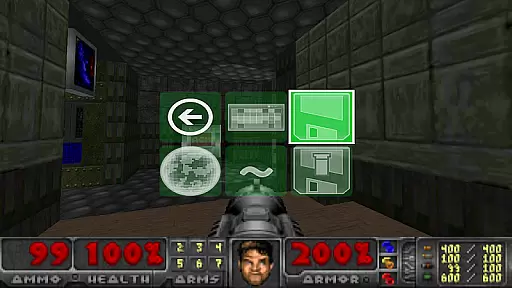
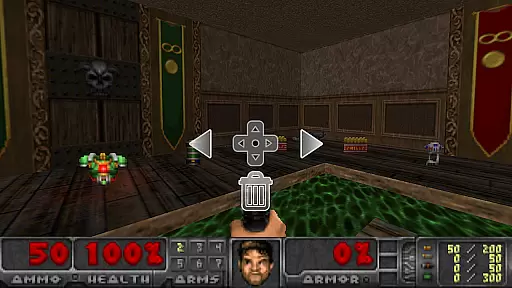
Delta Touch is an advanced Android platform that brings together ten of the most popular Doom engine source ports, offering a versatile and customizable gaming experience. This app supports classic Doom games as well as Hexen, Heretic, and Strife wads, allowing players to enjoy thousands of community-made mods and levels. With full touch screen controls, gamepad support, and features like gyro aim assist and mouse-keyboard compatibility for Android 8 and above, it caters to both casual and hardcore gamers.
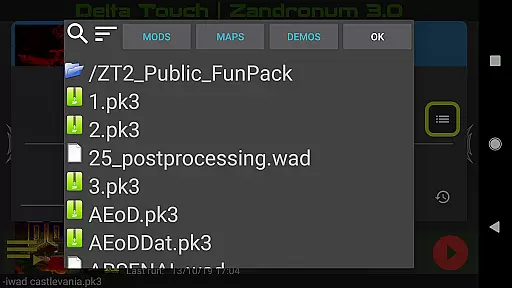
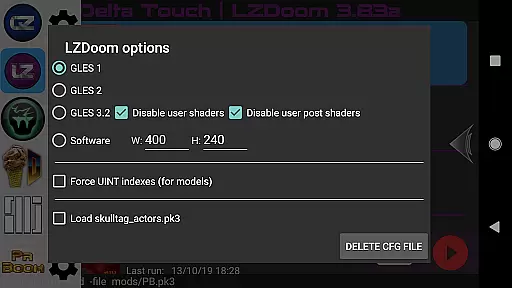
The platform includes built-in tools such as custom UI for easy mod selection, an 18-button layout for GZDoom, and various rendering modes. It also provides access to high-quality music through MIDI and Fluidsynth samples. FreeDoom data is included for immediate play, though users need to supply their own Doom wad files for original gameplay. Delta Touch is optimized for high-end devices, ensuring smooth performance even with demanding mods like Brutal Doom.
Delta Touch stands out with its comprehensive set of features tailored for Doom engine enthusiasts. The app integrates ten different source ports including GZDoom, Zandronum, Chocolate Doom, and Dhewm3 (Doom 3), each offering unique capabilities. For instance, GZDoom versions provide cutting-edge graphics and modding options, while Chocolate Doom focuses on preserving the authentic Doom experience.
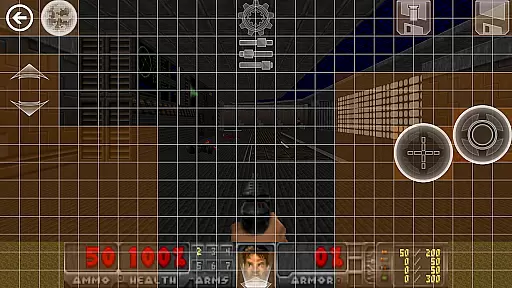
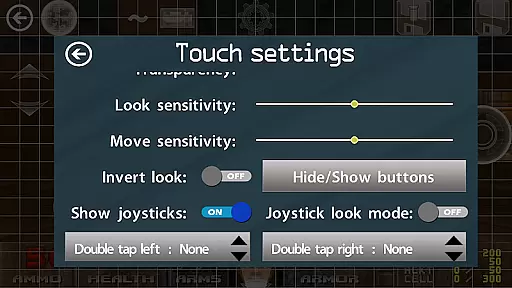
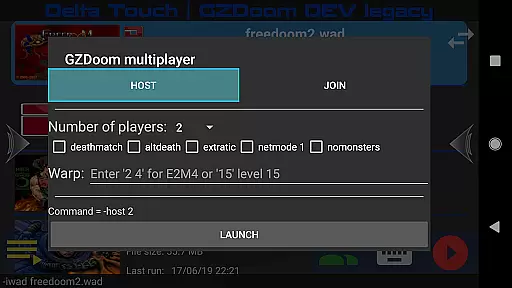
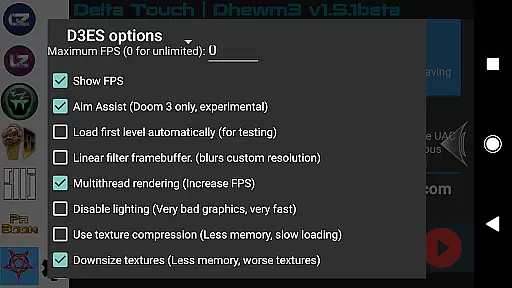
Customization is at the heart of Delta Touch. Users can configure highly adaptable touch screen controls, save and load layouts, and navigate the UI using a gamepad. Advanced functionalities include multiplayer support for certain ports, gyroscopic aiming assistance, and importing/exporting user settings. Additionally, Doom 3's Dhewm3 port offers multitiered rendering and compatibility with Classic Doom 3 mods, although some mods requiring specific files may not work. These features collectively ensure a rich, immersive experience for fans of the genre.
Control responsiveness and latency are crucial factors in action games like Delta Touch. These elements determine how quickly and accurately your inputs translate into in-game actions.
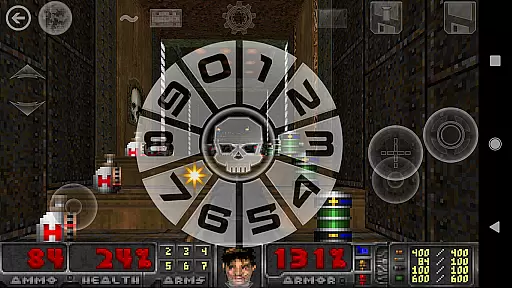
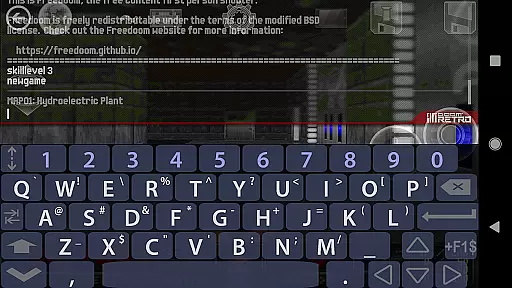
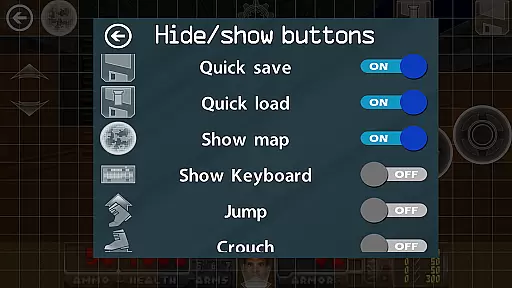
Delta Touch offers highly customizable touch screen controls, allowing players to adjust the interface for optimal performance. The game supports various rendering modes and provides a built-in keyboard for cheats and console commands, ensuring that players can tailor their experience to their liking.
The app also features full gamepad support, which is essential for players who prefer physical controllers. With fully navigable UI via a gamepad, users can enjoy a seamless experience without having to switch between touch and physical inputs.
For those with high-end devices, Delta Touch includes advanced features such as gyro aim assist, which leverages the device's gyroscope to enhance aiming precision. This ensures that even the most demanding mods, like Brutal Doom, can be played with accurate and responsive controls.
Combat feedback tightness refers to how well a game conveys the impact of combat actions to the player. In fast-paced action games like Delta Touch, this aspect is vital for an immersive experience.
Delta Touch brings ten of the best 'Doom engine' source ports to Android, each offering unique combat mechanics. For instance, GZDoom versions provide enhanced graphics and gameplay, while Chocolate Doom focuses on preserving the original experience.
The app includes 18 custom buttons for GZDoom mods, enabling complex interactions during combat. Players can access thousands of community-made mods and levels, each designed to offer varied and engaging combat scenarios.
Additionally, Delta Touch supports multiplayer modes for certain engines, enhancing the competitive aspect of the game. With these features, players receive immediate and precise feedback during combat, making every action feel impactful and rewarding.
Highly customizable controls
Wide range of supported games
Included FreeDoom data
Multiplayer support
Optimized for high-end devices
Requires high-end device
No included Doom wad files
Complex setup for beginners
Limited mod compatibility
Large storage space needed
Weaphones is the ultimate firearms simulator for your phone or tablet.
 4.60
4.60
Become a commander and infiltrate the Planet of Heroes!
4.60
A fun platform run game with thousands of traps and wow that push your limits
4.00
Secret of Mana—the landmark action RPG first released for SNES in 1993!
3.60
Five years ago, Carl ‘CJ’ Johnson escaped the haze of Los Santos, San Andreas…
3.30
Hunt or hide? Choose your side: hunt down the fugitives or escape the back rooms
4.00
Grand criminal online open-world RP action game! Drive cars and commit crimes!
4.40
Rockstar Games invades the schoolyard in Bully: Anniversary Edition.
3.90
Childhood nightmares should remain in the past.
4.60
BLEACH anime action RPG. Relive the story, unleash Bankai, battle Hollows!
4.80
A roguelike hack'n'slash game
4.70
Munch your way through 60 levels and over 140 objects!
4.40
The fast-paced FPS that changed gaming forever.
4.40
A funny game with open world offline games and many Online multiplayer games
4.30
Dive into Jurassic World in this dinosaur simulation game
4.30
Fast-paced multiplayer fun. 3v3 & 5v5 matches, PvP brawls and battle royales!
4.20
Combine a wide variety of skills and abilities to unleash dazzling combo attacks
4.00
Welcome to the 1980s.
3.50
Play all 6 Star Wars™ episodes with over 120 characters in fun LEGO style!
3.30

User Reviews