

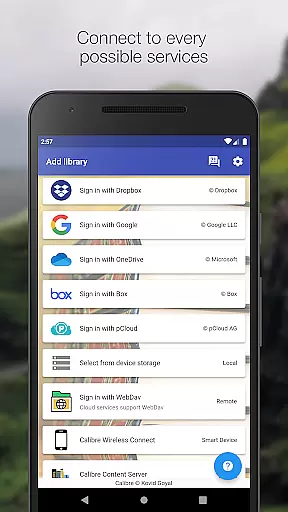
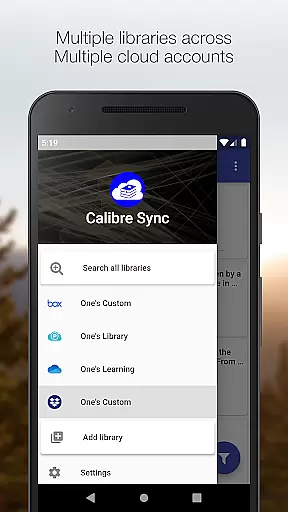
Calibre Sync is a comprehensive solution for managing your Calibre libraries across multiple cloud services and devices. The app allows seamless access to your e-book collections stored on popular platforms like Google Drive, Dropbox, OneDrive, and more, without requiring subscriptions or recurring fees. With support for unlimited libraries, it transforms your device into a wireless smart client for Calibre, enabling you to browse, search, download, and read books with remarkable ease.
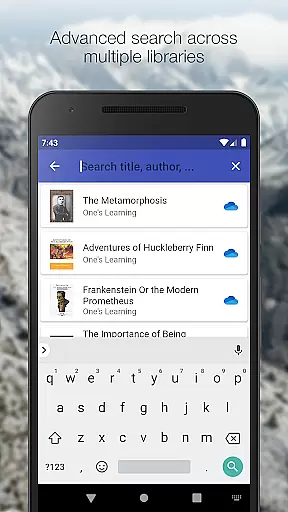
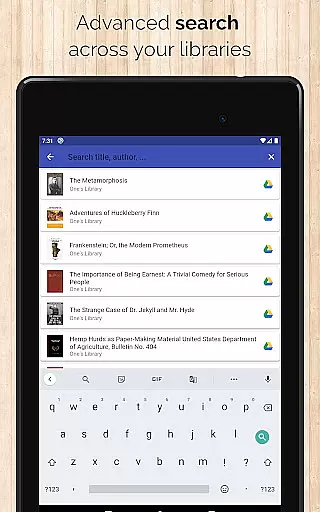
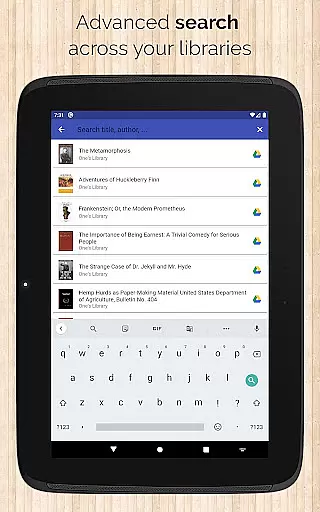
Beyond basic library management, Calibre Sync offers advanced features such as automatic library updates, custom column support, and multiple sorting and filtering options. Whether you're searching by title, author, or even metadata like comments, the app ensures quick and accurate results. Its compatibility with external storage and Calibre Content Server further enhances its versatility, making it an ideal tool for avid readers and digital librarians alike.
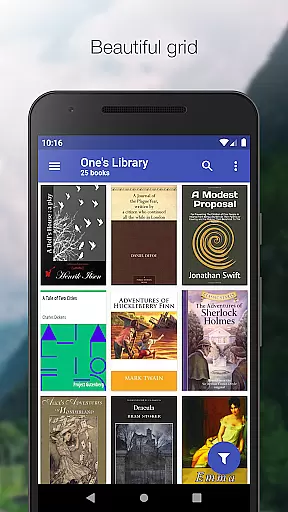
The app's ability to handle multiple accounts simultaneously and its support for various book list layouts (List, Grid, Carousel) make it adaptable to different user preferences. By integrating with third-party reader apps, Calibre Sync provides a complete reading experience while maintaining a focus on performance and usability. This makes it particularly valuable for users who rely on extensive e-book collections and need efficient ways to manage and access them.
Calibre Sync stands out with its robust feature set designed to streamline e-book management. One of its key strengths is the ability to connect wirelessly to Calibre libraries, effectively turning your device into a smart client. This functionality supports not only cloud-based libraries but also those stored on external drives or accessible via Calibre Content Server, ensuring maximum flexibility in how and where you store your books.
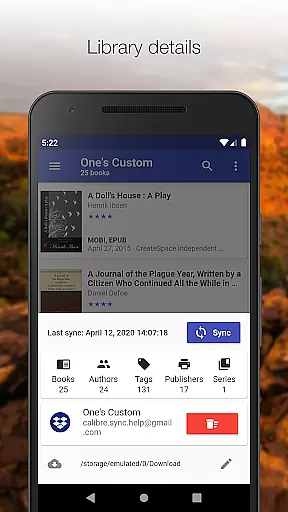
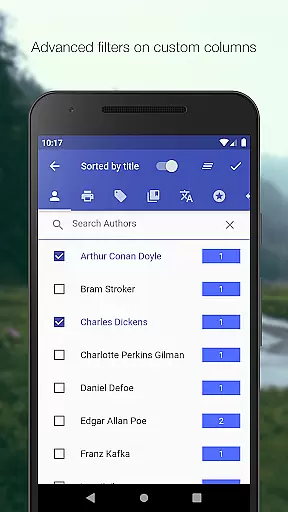
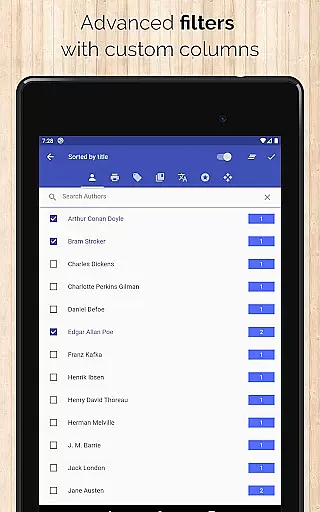
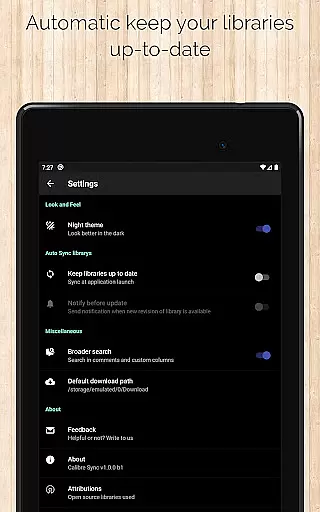
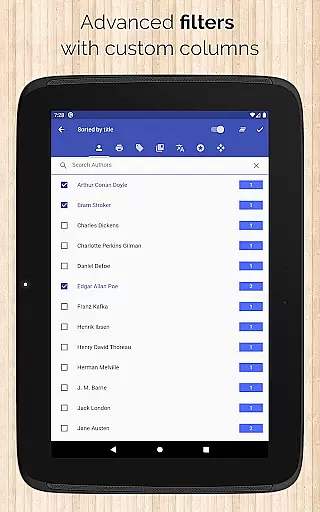
The app excels in providing detailed customization options for organizing and accessing your libraries. Users can filter and sort books by authors, series, tags, formats, and even custom columns, allowing for precise control over their collections. Additionally, features like automatic library updates, multiple layout views, and statistics tracking enhance the overall user experience. These capabilities ensure that whether you're managing one library or several, the process remains intuitive and efficient.
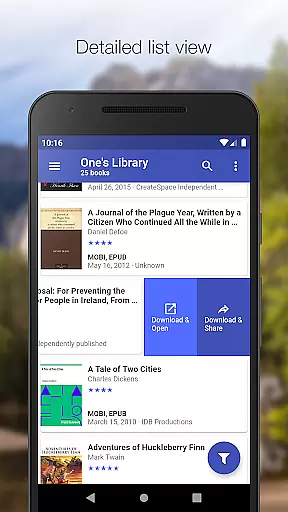
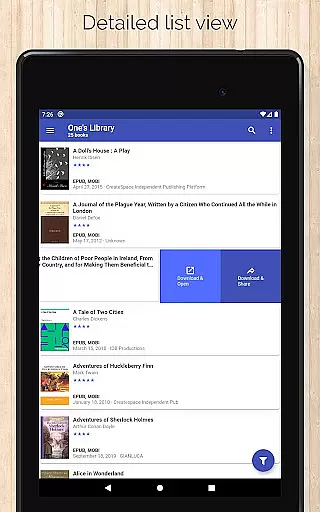
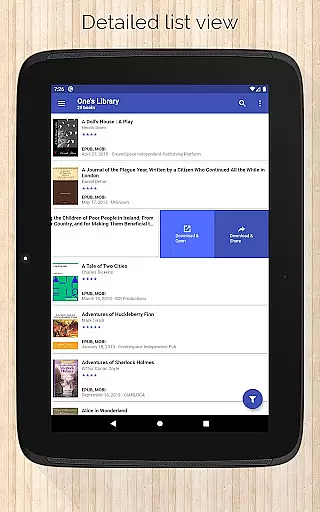
Calibre Sync also prioritizes accessibility and convenience through innovative design choices. For instance, the slideable list view enables quick downloads and sharing of books, while the zoomable book covers and swipe navigation in book details provide a smooth browsing experience. Dark and light themes, coupled with support for file size display and source linking (e.g., ISBN, Amazon), demonstrate the app's attention to detail. These features collectively position Calibre Sync as a powerful tool for both casual readers and power users seeking advanced library management solutions.
Calibre Sync offers an impressive e-book library solution by allowing users to access full Calibre libraries across multiple cloud services. The app supports Google Drive, Dropbox, Microsoft OneDrive, and more, ensuring that your entire collection is available wherever you go.
The application's ability to handle unlimited Calibre libraries demonstrates its capacity for extensive content management. This feature is particularly valuable for avid readers and digital librarians who maintain large collections of e-books. By supporting various personal cloud services, Calibre Sync ensures that users can consolidate their libraries without worrying about storage limitations or service compatibility.
Regarding copyright authenticity, Calibre Sync provides peace of mind by enabling users to manage legally acquired e-books. The app facilitates the organization and access of books with proper licensing, maintaining the integrity of your digital collection. Users can confidently store and retrieve their e-books, knowing that their library consists of legitimately obtained content.
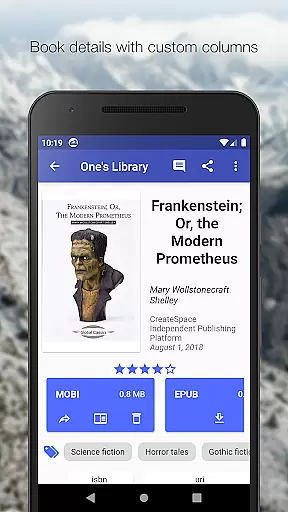
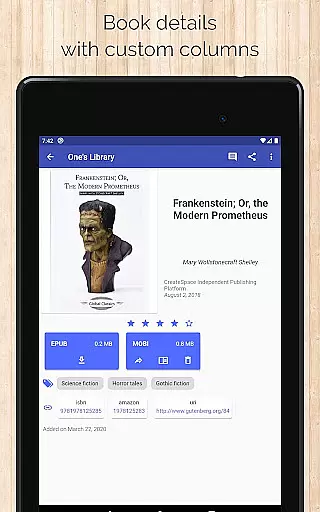
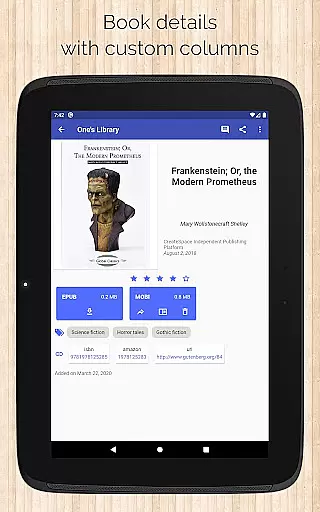
Moreover, the app's support for custom columns and detailed book information enhances the management of copyrighted materials. By displaying book identifiers and linking to sources like ISBN and Amazon, Calibre Sync helps users verify the authenticity of their e-books. This comprehensive approach to library management makes Calibre Sync a reliable tool for maintaining a legitimate and extensive e-book collection.
Calibre Sync excels in format compatibility, providing users with the flexibility to manage various e-book formats within their libraries. The app supports a wide range of file types, ensuring that users can work with their preferred formats without restrictions or conversion hassles.
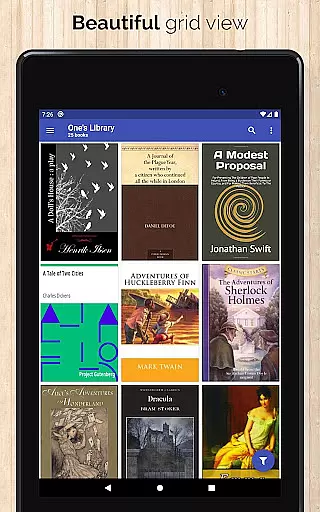
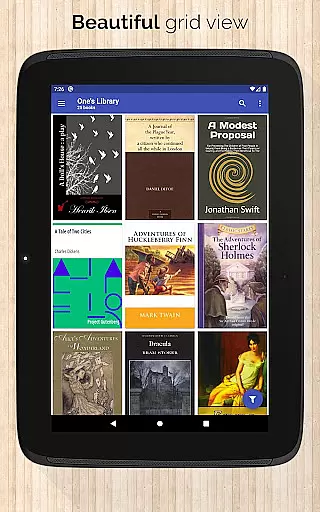
One of the key strengths of Calibre Sync is its ability to display different book list layouts, including List, Grid, and Carousel views. This versatility allows users to customize their browsing experience according to their preferences and device capabilities. Whether you're using a smartphone or tablet, the app adapts to provide optimal viewing and navigation.
The application goes beyond basic format support by offering advanced features such as zooming book covers and viewing file sizes for each book format. These capabilities enhance the user experience by providing detailed information about each e-book in the library. Additionally, the app's support for custom columns in book details view enables users to organize and filter their collection based on specific format attributes.
Furthermore, Calibre Sync ensures seamless integration with various reader applications, allowing users to open downloaded books directly in their preferred reading software. This compatibility extends to supporting dark and light themes, making it easier for users to read comfortably in different lighting conditions. The combination of extensive format support and thoughtful user interface design makes Calibre Sync a powerful tool for managing diverse e-book collections.
User-friendly interface
Extensive cloud support
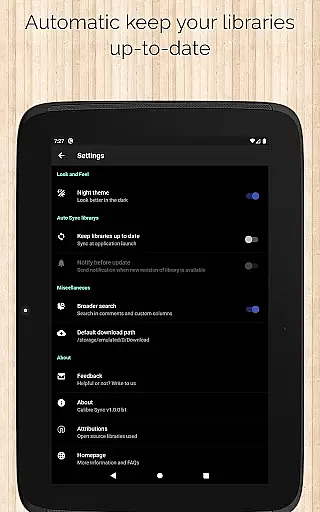
Automatic library updates
Advanced filtering options
Wireless connectivity
No built-in reader
Limited OneDrive support
Requires storage permission
Case-sensitive file system
Box API restrictions

The ultimate military vehicle identification (Equipment ID) guide.
 4.40
4.40
Essential Technical Rescue Field Operations Guide 6, the Industry Standard Guide
4.20
Read the KJV Bible with Strong’s offline: reading plans, audio Bibles, and more.
4.70
Offline translator from english to spanish, and from spanish to english.
4.50
Prime novels await! Fantasy & Romance on JoyRead. Immersive reads!
4.20
Manage collectibles, survey and treasure maps in Elder Scrolls Online.
4.40
Holy Bible with verses and audio for studying and prayer
4.30
Premium reader for ePub, PDF, and more. TTS and translation. Great on any screen
3.50
Follow complex state CCW permit laws and lawfully carry firearms in each state.
4.80
"When tweetle beetles fight, it's called a tweetle beetle battle."
4.90
Read unlimited novels, audiobooks, stories & Unlock ebooks, fanfiction and more!
4.70
Watch real short episodes in just minutes— addictive, you won't be able to stop!
4.70
"Five Dr. Seuss titles in one omBook!"
4.60
Words spoken by native English speakers and full definitions.
4.60
Discover, track, and share your reading with friends & our community of readers
4.60
Shop over 13 million new and used books at up to 80% off list price
4.20
Zerobooks Light Novel Reader by GOLDENAGATO
4.20
ISAIAH EXPLAINED with Avraham Gileadi Ph.D.
4.00
University of North Carolina Herbarium presents the flora of TN, AL, & MS.
4.5


User Reviews