

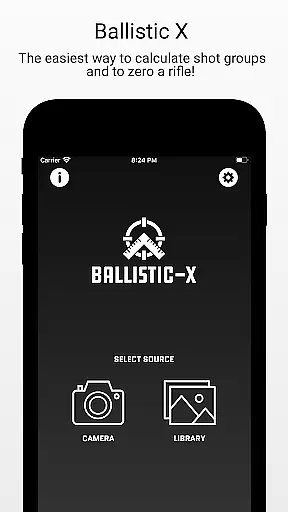
Ballistic X is a specialized mobile application designed for shooting enthusiasts who want to improve their precision and streamline the process of zeroing their rifles. The app offers an intuitive interface that allows users to calculate shot groups, adjust turrets with its ATZ feature, and customize settings according to their preferences such as MOA/MIL or INCH/CM measurements. Whether you're working with traditional paper targets or steel ones, Ballistic X provides seamless compatibility.
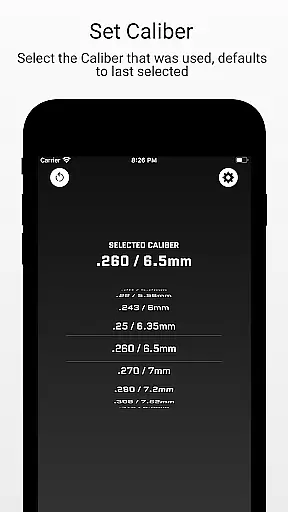
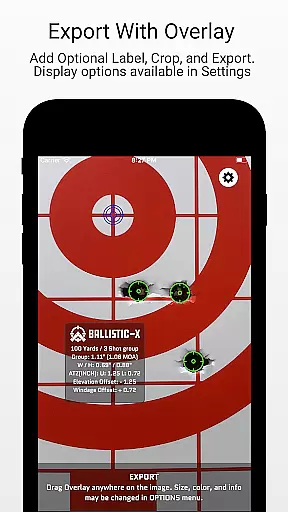
In addition to its core features, the app supports load development by offering useful data labeling options. Its simple workflow includes taking images of your target, marking reference points, inputting distance, selecting caliber, and analyzing impacts. Users can also overlay additional information on their targets before exporting or sharing them. With an optional sign-in feature for syncing settings across devices, Ballistic X ensures convenience without compromising functionality.
The app's value extends beyond casual shooters; it's a powerful tool for those engaged in serious load development and long-range shooting. By upgrading to the Advanced Toolkit via an in-app purchase, users gain access to advanced metrics like Mean Radius, Circular Error Probable (CEP), and more. These features make Ballistic X not just a utility but a comprehensive companion for improving shooting accuracy.
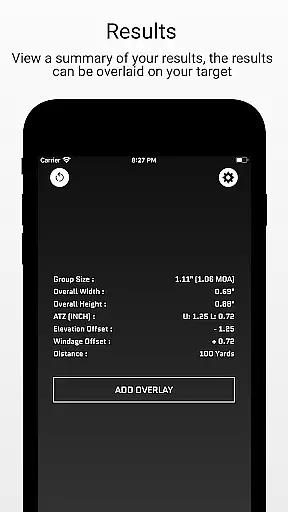
Ballistic X stands out due to its robust set of features tailored specifically for shooters. One key highlight is the ATZ (Adjustment To Zero) feature which dynamically assists in adjusting turrets at any range, saving both time and ammunition. This feature works universally with all turret options and integrates smoothly into the user's workflow whether they are at a practice range or in the field.
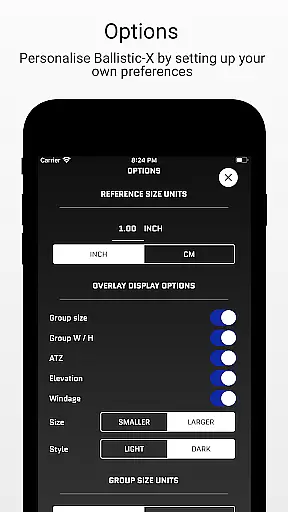
The app also excels in providing customization through its Options Menu where users can choose between different measurement units and configure other personal preferences. Another notable aspect is its ability to sync settings across multiple devices when signed in, ensuring consistency and convenience. For those interested in detailed analysis, Ballistic X offers advanced overlay display options including Mean Radius, CEP, Radial Standard Deviation, and more through its Advanced Toolkit available as an in-app purchase.
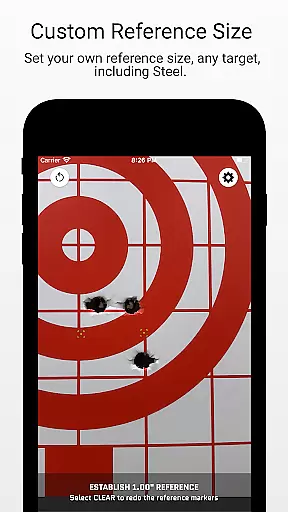
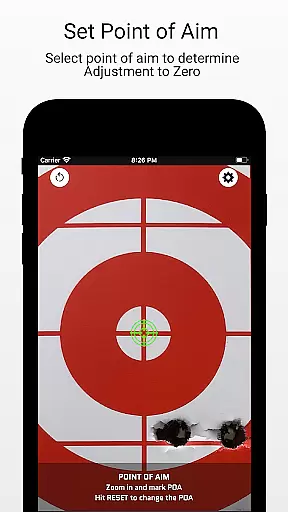
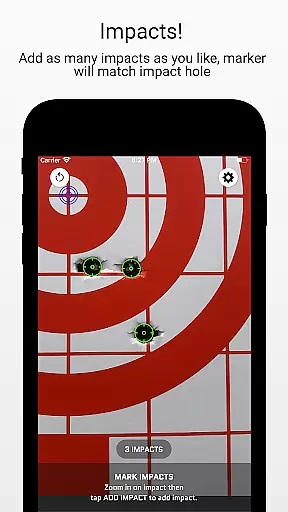
Furthermore, the app facilitates a straightforward workflow: capture a target image, designate reference sizes, mark points of aim and impacts, then analyze results. Users can export these analyses as CSV files for further evaluation. With community-driven updates and top-notch customer service, Ballistic X continues to evolve, ensuring it meets the needs of its users while maintaining an edge over competitors in the sports category.
Ballistic X offers an unparalleled level of gameplay realism and physics accuracy tailored specifically for shooting enthusiasts. The app's meticulous attention to detail ensures that every calculation reflects real-world ballistics, providing users with authentic experiences.
The ATZ feature dynamically adjusts at any range, supporting all turret options, which mirrors the precision required in actual shooting scenarios. This functionality not only saves time and ammunition but also hones the shooter's skills by offering precise adjustments needed to zero their rifles.
With options to mark points of aim and impacts, along with overlay features such as Mean Radius and Circular Error Probable (CEP), Ballistic X captures the nuances of shooting mechanics. These tools allow users to analyze their shot groups with professional accuracy.
By integrating advanced metrics like Radial Standard Deviation (SD) and vertical/horizontal SD, the app provides a comprehensive analysis usually found in professional shooting environments. This dedication to realistic physics simulation makes Ballistic X an invaluable tool for both novice and experienced shooters.
The control scheme of Ballistic X is designed to be intuitive, ensuring that users can easily navigate and utilize its features without a steep learning curve. The app's interface is crafted by shooters for shooters, making it seamless to switch between different measurement systems such as MOA/MIL or INCH/CM.
Users can take an image of their target directly within the app or from their library, designate reference sizes via settings, and mark two points on the target effortlessly. This streamlined workflow allows shooters to focus more on their practice rather than figuring out complex software.
Customization through the Options Menu further enhances user experience by allowing personal preferences in data labeling and load development. Such flexibility ensures that each useru2019s interaction with Ballistic X feels natural and tailored to their specific needs.
Additionally, optional sign-in syncs settings across multiple devices, adding another layer of convenience. By prioritizing ease-of-use alongside powerful functionality, Ballistic X stands out as an essential tool for improving shooting precision intuitively and effectively.
User-friendly interface
Customizable settings
ATZ feature for precise adjustments
Sync settings across devices
Advanced toolkit available
Premium features require purchase
Limited free functionalities
Device compatibility issues
Occasional bugs reported
Learning curve for beginners

Create and customize your own golf course in this charming management sim.
 4.70
4.70
Exploring Football from a Unique Perspective
4.10
Trampoline backflips, frontflips & trick stunts! Ultimate adrenaline rush!
4.60
Shoot, score, and outplay your rival in a fast-paced basketball battle duel!
4.60
Challenging 1vs1 online matches! Strike, score, and be a soccer champion!
4.40
Push your skills, express your style, or just enjoy the ride.
4.60
Build, manage & coach your NFL dream team in this American Football sports game!
4.40
For Fans to Buy Tickets
4.80
Stream videos and matches in high quality and in real time.
4.2
Play darts against the world!
4.70
Create your Ultimate NBA Team and experience realistic 2K Gameplay on Mobile!
4.70
Build and play your own team! Baseball at your fingertips! BASEBALL NINE!
4.60
Create your own gym, train boxers, and aim for the championship!
4.50
Build a soccer club from scratch and see if you can conquer the World!
4.50
Old-School Football
4.40
The classic Backyard Football 1999 is now enhanced to run on modern systems!
4.40
Try your hand at managing an auto racing team!
4.30
Master your shots and climb the ranks in the ultimate golf game!
4.30
Recruit and train players to form a winning team!
4.10


User Reviews