

Alien Watch is a feature-rich simulation app that transforms your Wear OS smartwatch into the iconic Omnitrix from Ben 10. With multiple modes like Prototype, Recalibrated, and Omniverse, users can access various sub-modes including DNA Scan, Master Control, and Ultimatrix transformations. The app offers an authentic Ben 10 experience with 3D transformations, voice commands, and Fusion Transformations.
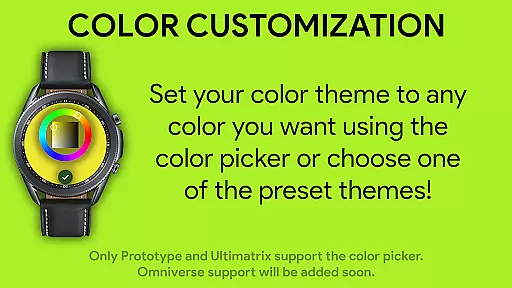
The app's core functionality lies in its ability to provide an immersive alien transformation experience directly on your wrist. Users can unlock additional aliens through step goals or activation codes, customize watch face colors, and even enable Albedo mode. Each mode comes with unique features such as random alien selection every 15 seconds in Omniverse mode or Ultimate Transformations in Recalibrated mode.
Ideal for fans of the Ben 10 series, this app brings childhood memories to life while offering modern smartwatch capabilities. Whether you're looking to relive the excitement of transforming into different life forms or simply want a customizable watch face, Alien Watch delivers both entertainment and utility value.
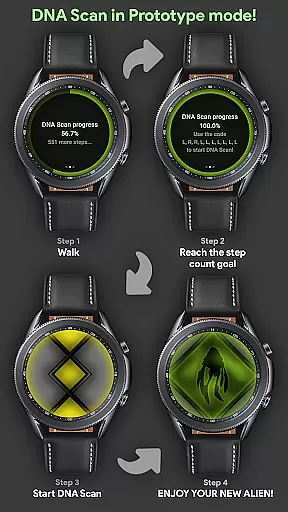
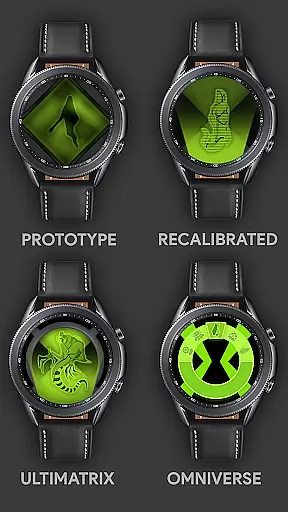
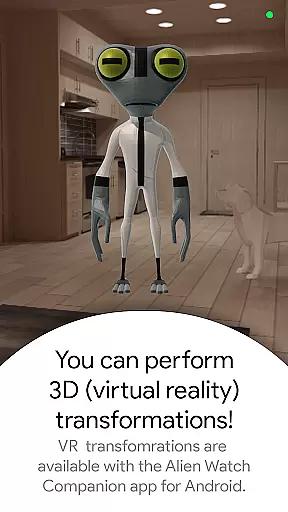
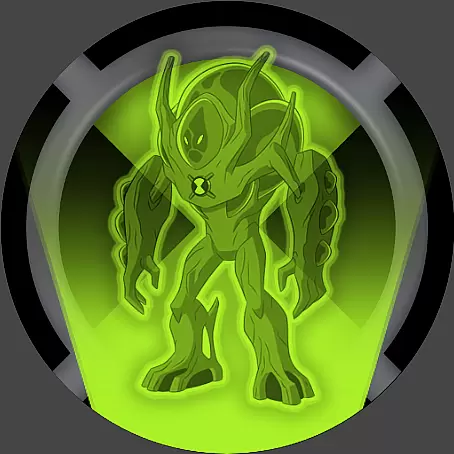
Alien Watch stands out with its comprehensive set of features designed to replicate the Omnitrix experience. The app includes three main modes - Prototype, Recalibrated, and Omniverse - each offering distinct functionalities. Prototype mode provides DNA scanning to unlock aliens through physical activity or activation codes, Master Control for transformation management, and Virtual Reality transformations for 3D alien viewing.
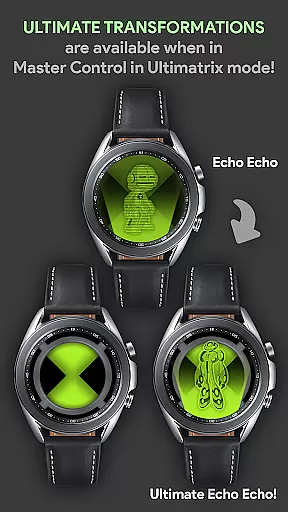
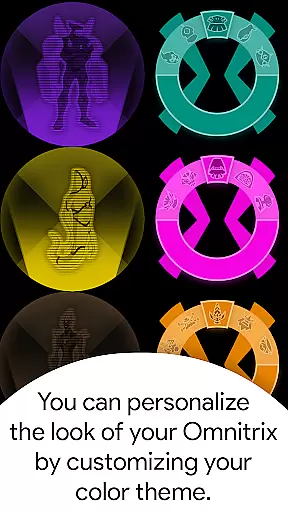
Recalibrated mode enhances the experience with Ultimatrix functionality, allowing for Ultimate Transformations and featuring custom voice effects where aliens announce their names during transformations. Users can choose from 12 color options including Albedo mode, creating a personalized look. The mode also incorporates Azmuth Easter Eggs for dedicated fans.
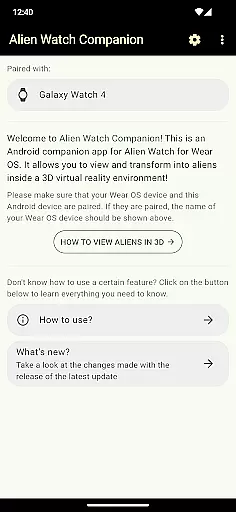
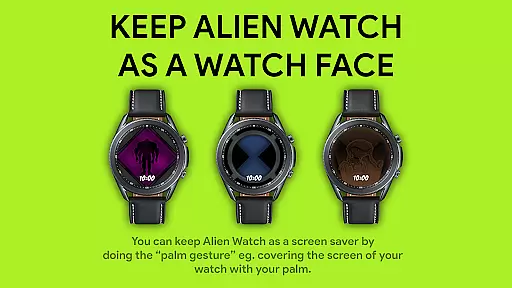
Omniverse mode introduces a Randomizer function that cycles through aliens every 15 seconds while maintaining color customization options. The app supports palm gesture activation for temporary watch face display and requires both Android and Wear OS versions for full functionality. These features collectively create an engaging and interactive alien transformation simulation on wearable devices.
In the realm of simulation apps, Alien Watch stands out with its intricate economic system that mirrors real-world dynamics. The app's Prototype mode includes features like DNA Scan, which allows users to unlock more aliens by achieving step count goals or using activation codes. This creates a dynamic feedback loop where user actions directly influence their progress within the app.
By integrating various modes such as Recalibrated and Omniverse, the app offers an extensive range of customizable options. Users can pick from 12 available colors in Recalibrated mode or engage with the Randomizer function in Omniverse mode, ensuring a personalized experience that evolves over time.
The inclusion of sub-modes like Ultimatrix and Albedo adds layers of complexity to the economic system. These features not only enhance gameplay but also provide users with strategic choices that affect their overall experience. Such depth ensures long-term engagement and repeated use of the app.
Ultimately, Alien Watch delivers significant value by offering a richly detailed simulation environment. Users benefit from an authentic and realistic Ben 10 experience, reviving childhood memories while enjoying advanced functionalities that keep them immersed in the world of aliens.
Alien Watch excels in resource management, providing a balanced approach to user interaction and feature utilization. The appu2019s DNA Scan feature in Prototype mode exemplifies this balance by allowing users to unlock aliens through walking or using codes, promoting both physical activity and strategic planning.
With multiple modes including Recalibrated and Omniverse, users have the flexibility to manage resources effectively. Recalibrated mode supports color customization and ultimate transformations, while Omniverse mode offers the Randomizer function and Albedo mode, ensuring diverse and engaging experiences without overwhelming the user.
The app's design encourages thoughtful resource allocation. For instance, completing DNA Scan goals enables users to submit results to the Leaderboard via the companion app, fostering a sense of achievement and competition. This structured approach helps maintain user interest and motivation.
By offering a variety of modes and features, Alien Watch ensures that users can tailor their experience according to personal preferences and play styles. This balance in resource management enhances user satisfaction and prolongs app engagement, making it a top choice for simulation enthusiasts.
Authentic Ben 10 experience
Multiple transformation modes
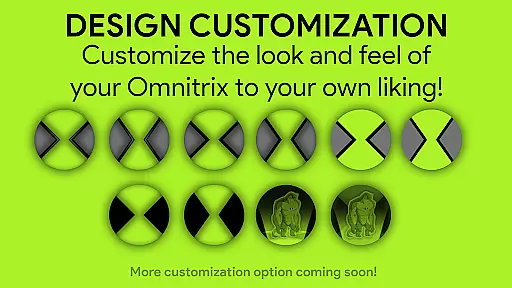
Customizable watch faces
Voice command integration
Regular feature updates
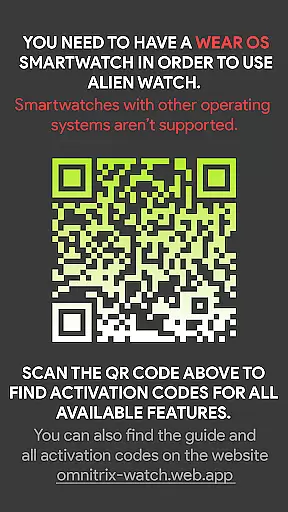
Wear OS device required
Complex setup process
Dependent on companion app
Limited without Android version
Feature activation codes needed




Mystical Mixing: little alchemy meets tiny wings spiced with potion permit magic
 4.80
4.80
Rule the night as a club security!
4.1
Start painting, match paint, merge colors and get creative in this coloring game
4.60
Solve the mysteries of the universe with potato power!
4.40
Construction Simulator returns with a map inspired by the Canadian landscape.
3.40
A casual city building game. Become the mayor and create your own metropolis!
4.30
Replay gaming history - The hit tycoon game, now on Android
4.80
Divine casual-strategy Sandbox game about Gods, Civilisations and Faith!
4.50
Be the leader of wobblers from ancient lands, spooky places, and fantasy worlds.
4.10
Work hard and you may reach the top of the video game industry.
4.80
An Atmospheric Vehicle Adventure Game
4.60
The Ultimate Cosmic Destruction Simulator
4.60
Pro Wrestling Team Management Sim, Face off with fearsome foes!
4.50
Grow your agricultural empire with 100+ authentic machines!
4.40
Design airplanes in this flight sim and see how they fly with realistic physics.
4.30
Drive trucks along challenging routes inspired by Bolivia
4.20
Build and explore your city as mayor! Create and simulate your own metropolis.
4.20
Become a pilot! Fly and land in airports around the world with iconic airplanes
4.20
Rediscover your engineering creativity in this bridge building masterpiece.
4.10

User Reviews